How

How to Fix IPTV Buffering: Complete Troubleshooting Guide for Smooth Streaming
How to Fix IPTV Buffering: Complete Troubleshooting Guide for Smooth Streaming

introduction:

How to Fix IPTV Buffering IPTV has become one of the most popular ways to watch live television, sports, movies, and on-demand content. Its flexibility, affordability, and large content libraries have made it an attractive alternative to traditional cable and satellite television. However, one issue that frustrates many IPTV users is buffering. Nothing ruins a football match, movie night, or live event faster than constant buffering. When a stream freezes, pauses, or repeatedly loads, the viewing experience becomes frustrating and unreliable. Fortunately, buffering is often caused by identifiable factors that can be corrected. Whether the problem is related to internet speed, device performance, network congestion, or IPTV settings, there are several proven solutions that can significantly improve streaming quality. In this comprehensive guide, you’ll learn what causes how to fix IPTV buffering and it effectively for a smoother and more enjoyable viewing experience.

What Is IPTV Buffering?

Buffering occurs when your IPTV application temporarily pauses playback while it downloads additional video data.

Streaming services rely on a continuous flow of information from servers to your device. If data arrives slower than the video is being played, the application pauses to load more content.

Buffering may appear as:

  • Loading circles
  • Frozen screens
  • Playback interruptions
  • Reduced video quality
  • Audio and video synchronization problems

Occasional buffering is normal, but frequent interruptions usually indicate an underlying issue.

Common Causes of IPTV Buffering

Before attempting solutions, it’s important to understand what causes buffering.

Several factors may contribute to streaming problems.

Slow Internet Connection

One of the most common causes is insufficient internet speed.

High-definition IPTV streams require stable bandwidth. If your connection cannot consistently deliver enough data, buffering may occur.

Network Congestion

Network congestion happens when multiple devices share the same internet connection.

Common bandwidth-consuming activities include:

  • Online gaming
  • Large downloads
  • Video conferencing
  • Cloud backups
  • Multiple streaming services

These activities can reduce available bandwidth for IPTV.

Weak Wi-Fi Signal

Wireless connections are convenient but not always reliable.

Signal interference can come from:

  • Thick walls
  • Household appliances
  • Distance from the router
  • Neighboring wireless networks

Weak signals often lead to unstable IPTV performance.

Device Limitations

Older devices may struggle to process modern IPTV streams efficiently.

Common issues include:

  • Limited memory
  • Outdated hardware
  • Slow processors
  • Software conflicts

IPTV Server Overload

Sometimes the issue is not on the user’s side.

Popular channels and major sporting events can place heavy demands on IPTV servers.

When too many users connect simultaneously, buffering may occur.

How to Fix IPTV Buffering Effectively

Let’s examine the most effective solutions.

1. Check Your Internet Speed

Your internet connection is the foundation of IPTV performance.

Recommended speeds include:

Streaming QualityRecommended SpeedSD5 MbpsHD10 MbpsFull HD15 Mbps4K UHD25 Mbps+

If your speed falls below these recommendations, upgrading your internet plan may improve streaming quality.

2. Restart Your Router

Many network issues can be resolved by restarting the router.

A simple restart helps:

  • Clear temporary errors
  • Refresh network connections
  • Improve router performance

Turn the router off for approximately 30 seconds before restarting.

3. Use an Ethernet Connection

Wi-Fi is convenient but can introduce instability.

An Ethernet cable provides:

  • Faster data transfer
  • Lower latency
  • Greater reliability
  • Reduced interference

For IPTV streaming, wired connections often deliver the best results.

4. Move Closer to the Router

If Ethernet is not an option, improving Wi-Fi signal strength can help.

Try:

  • Moving the device closer
  • Reducing physical obstructions
  • Repositioning the router

A stronger signal often improves streaming consistency.

5. Close Background Applications

Many devices run multiple applications simultaneously.

Background processes can consume:

  • Bandwidth
  • Memory
  • Processing power

Close unnecessary apps before launching IPTV services.

6. Clear IPTV App Cache

Over time, IPTV applications accumulate temporary files.

Large cache files may affect performance.

Clearing the cache can:

  • Improve responsiveness
  • Reduce loading times
  • Fix playback issues

Many IPTV apps include built-in cache management options.

7. Update Your IPTV Application

Developers frequently release updates that improve performance and stability.

Software updates may include:

  • Bug fixes
  • Security enhancements
  • Improved compatibility
  • Better streaming optimization

Always use the latest version when possible.

8. Update Device Firmware

Operating system updates can improve IPTV performance.

Whether using:

  • Android TV
  • Firestick
  • Smart TV
  • Mobile devices

Keeping software current helps maintain compatibility and stability.

9. Reduce Video Resolution

Higher resolutions require more bandwidth.

If buffering persists, temporarily switch from:

  • 4K to Full HD
  • Full HD to HD

Lower resolutions reduce network demands and often improve playback.

10. Test Different Channels

Not all channels perform identically.

Sometimes buffering affects only specific streams.

Check:

  • Multiple live channels
  • Different categories
  • Video-on-demand content

This helps determine whether the issue is isolated or widespread.

11. Avoid Peak Usage Hours

Internet congestion can increase during busy periods.

Common peak times include:

  • Evenings
  • Weekends
  • Major sporting events

Testing IPTV performance during quieter hours may reveal whether congestion contributes to buffering.

12. Upgrade Your Router

Older routers may struggle to handle modern streaming demands.

Newer routers offer:

  • Faster speeds
  • Improved coverage
  • Better traffic management
  • Enhanced wireless performance

A router upgrade can significantly improve IPTV reliability.

13. Limit Simultaneous Connections

Every connected device consumes network resources.

Examples include:

  • Smartphones
  • Tablets
  • Gaming consoles
  • Smart home devices

Reducing simultaneous usage often improves IPTV performance.

14. Reboot Your Streaming Device

Like computers, streaming devices benefit from occasional restarts.

A reboot can:

  • Free memory
  • Close background processes
  • Refresh network connections

Simple reboots often solve temporary streaming issues.

15. Contact Your IPTV Provider

If buffering continues despite troubleshooting, contact your provider.

Provide details such as:

  • Device type
  • Internet speed
  • Affected channels
  • Time of occurrence

This information helps support teams identify potential service issues.

Signs That the Problem Is Your Internet

Certain symptoms indicate local network issues.

These include:

  • Slow website loading
  • Multiple streaming services are buffering
  • Frequent disconnections
  • Poor download speeds

In these cases, focus on improving internet performance.

Signs That the Problem Is the IPTV Service

Other symptoms may suggest provider-related issues.

Examples include:

  • Only specific channels are buffering
  • Issues during major live events
  • Multiple users are reporting problems
  • Good internet speed, but poor IPTV performance

Identifying the source helps determine the appropriate solution.

Best Devices for IPTV Streaming

Device quality plays an important role in performance.

Popular IPTV devices include:

Android TV Boxes

Known for:

  • Strong performance
  • App flexibility
  • Broad compatibility

Amazon Firestick

Popular because of:

  • Affordability
  • Easy setup
  • Reliable streaming

Smart TVs

Modern televisions often support IPTV applications directly.

Dedicated Streaming Hardware

Premium streaming devices typically provide:

  • Faster processors
  • Better memory management
  • Improved video decoding

These features contribute to smoother playback.

How to Prevent Future Buffering Problems

Preventative measures often reduce future issues.

Consider these best practices:

  • Use wired connections whenever possible.
  • Keep software updated
  • Maintain strong Wi-Fi coverage.
  • Monitor internet speeds regularly.
  • Clear the application cache periodically
  • Restart devices occasionally

Small maintenance steps can significantly improve long-term performance.

Frequently Asked Questions

Why does IPTV keep buffering?

Buffering typically occurs due to slow internet speeds, network congestion, weak Wi-Fi signals, device limitations, or server-related issues.

Does faster internet reduce buffering?

In many cases, yes. Faster and more stable internet connections generally improve IPTV performance.

Is Wi-Fi or Ethernet better for IPTV?

Ethernet is usually more reliable because it provides a direct connection with less interference.

Can an old device cause buffering?

Yes. Older devices may lack the processing power needed for modern IPTV streams.

Does clearing the cache help IPTV performance?

Clearing the cache can improve application responsiveness and reduce playback issues.

Should I upgrade my router?

If your router is outdated or struggles with multiple devices, upgrading may improve IPTV streaming quality.

Conclusion

Buffering is one of the most common IPTV problems, but it is often easier to fix than many users realize. By improving internet speed, strengthening network stability, updating devices, optimizing settings, and using reliable hardware, viewers can dramatically reduce interruptions and enjoy smoother streaming. While occasional buffering may occur due to temporary network conditions, persistent problems usually have identifiable causes. Following the solutions outlined in this guide can help create a more stable IPTV experience and ensure uninterrupted access to live television, sports, movies, and on-demand content. For most users, a combination of faster internet, proper device maintenance, and network optimization provides the best path toward buffer-free IPTV streaming.
How IPTV Transmits Live Television Content

How IPTV Transmits Live Television Content

How IPTV Transmits Live Television Content

Internet Protocol Television, or IPTV, is changing how we watch TV. It streams content over the internet, unlike traditional cable.

This technology offers live TV, video on demand, and more. IPTV is accessible on various devices, from smart TVs to smartphones.

With IPTV, you can pause, rewind, or fast-forward live TV. It provides flexibility and customization that traditional TV lacks.

However, the legality of IPTV varies by region. It's crucial to verify the legality of services in your area.

Explore how IPTV works and its benefits over traditional TV in this comprehensive guide.

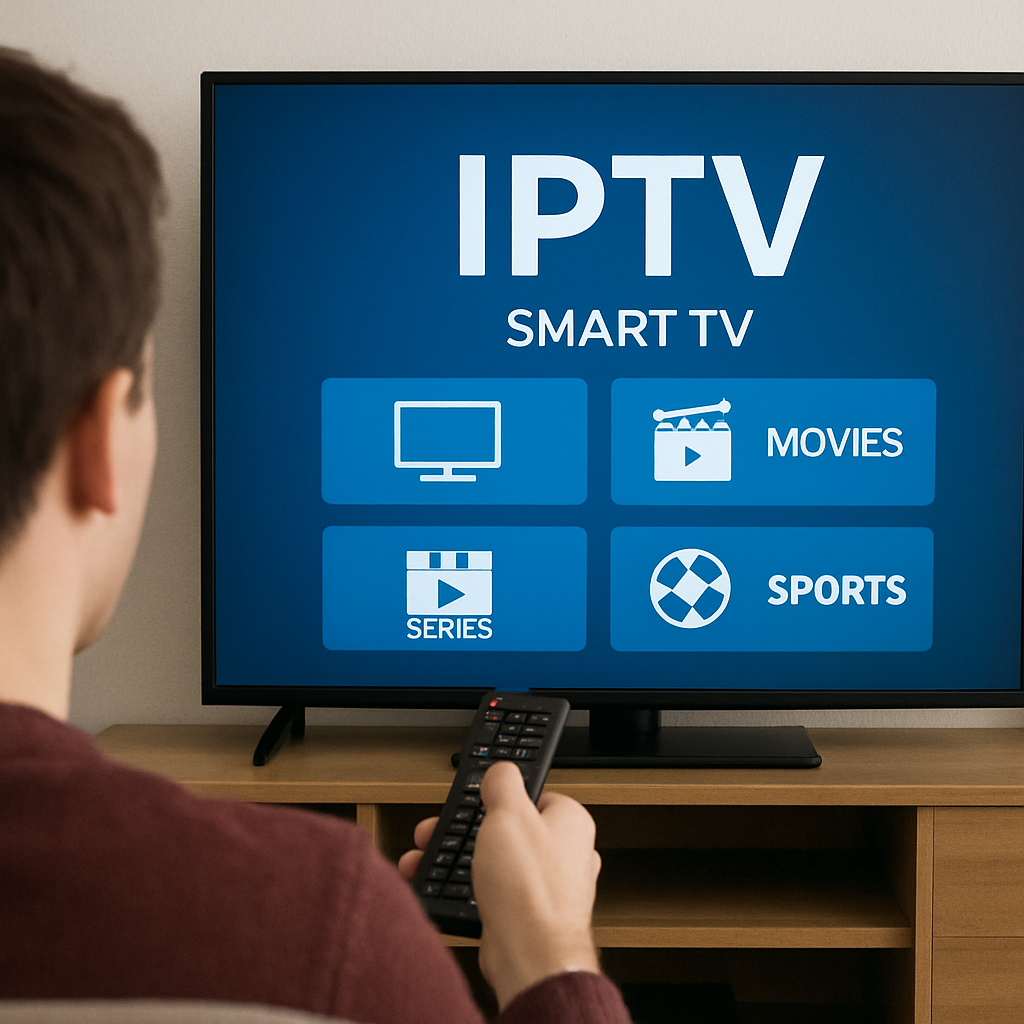
A person watching IPTV on a smart TV

What is IPTV? Understanding Internet Protocol Television

IPTV, or Internet Protocol Television, revolutionizes content delivery. It sends TV programs through internet connections.

Unlike cable TV, it uses internet protocols for efficient streaming. This includes unicast and multicast methods.

IPTV offers various services like live broadcasts and video on demand (VOD). Each service provides a different viewing experience.

Here's a quick overview of its main features:

  • Live TV streaming over the internet
  • Access to on-demand content
  • Ability to pause and rewind live programs

It's accessible on multiple devices, making it versatile. Smart TVs, computers, and mobile devices all support IPTV.

This flexibility enhances viewing choices and convenience. IPTV transforms how audiences engage with television today.

Various devices supporting IPTV

How Does IPTV Work? The Technology Behind the Stream

IPTV involves a sophisticated process to deliver content. It begins with acquiring TV signals from broadcasters.

These signals are encoded into a digital format. Encoding is essential for smooth transmission over the internet.

The encoded content is then packaged and transmitted. Middleware plays a crucial role in this phase.

Middleware manages the routing and delivery of content. It ensures data reaches the correct viewer.

To achieve this, IPTV uses streaming protocols. These include Real-Time Streaming Protocol (RTSP) and User Datagram Protocol (UDP).

Key steps in the IPTV process include:

  • Signal acquisition from broadcasters
  • Encoding and packaging of content
  • Delivery management through middleware

Lastly, the content arrives at your device for playback. A seamless experience is achieved through compatible apps and set-top boxes.

IPTV system framework diagramby Bernd 📷 Dittrich (https://unsplash.com/@hdbernd)

Content Acquisition and Encoding

IPTV starts with acquiring content from various sources. These sources include traditional broadcasters and online feeds.

After acquisition, the content is converted into digital format. This conversion ensures compatibility with internet protocols.

The encoding process optimizes the content for streaming. This step minimizes buffering and ensures high quality.

Packaging, Middleware, and Delivery

Content packaging is a pivotal step in IPTV. Here, data is organized into manageable packets.

Middleware then directs these packets to users. It acts as the control center of the system.

Effective middleware ensures reliable delivery and supports scalability.

Diagram showing IPTV content delivery networkby Growtika (https://unsplash.com/@growtika)

Playback on Your Device

For IPTV playback, a compatible device is necessary. Options include smart TVs, computers, and smartphones.

Devices require IPTV applications or set-top boxes. These applications decode streaming content for viewing.

The integration of apps and devices facilitates user-friendly navigation. It enhances overall content accessibility and interaction.

Various devices streaming IPTV contentby charlesdeluvio (https://unsplash.com/@charlesdeluvio)

Types of IPTV Services: Live TV, VOD, and More

IPTV offers diverse service types suited to varied viewing needs. Users can choose between live TV, video on demand (VOD), and more.

Live TV through IPTV mirrors traditional broadcast but over internet protocols. It enables real-time viewing of television channels.

VOD provides flexibility by allowing users to select and watch video content anytime. With VOD, you access a library of movies and shows on demand.

Additionally, IPTV includes time-shifted media services. These services let users watch previously aired content at their convenience.

Here's a summary of IPTV service types:

  • Live TV: Real-time channel streaming
  • VOD: On-demand access to content
  • Time-shifted media: Access past live broadcasts

Each type caters to unique consumer preferences, offering unparalleled accessibility and control over viewing habits.

Devices and IPTV Players: How to Access IPTV

Accessing IPTV content is simple with the right devices and applications. Most modern technologies support IPTV services seamlessly.

Smart TVs come with built-in apps for streaming IPTV channels. Alternatively, you can use external devices like set-top boxes for traditional TVs.

Computers, tablets, and smartphones are also excellent for accessing IPTV. They offer portability and convenience with compatible applications.

Various IPTV players facilitate content streaming across these devices. These applications provide intuitive interfaces and additional features like recording or live pause.

Here's how to access IPTV through different platforms:

  • Smart TVs: Use built-in apps
  • Set-top boxes: Connect to traditional TVs
  • Mobile devices: Utilize IPTV apps

A variety of devices for accessing IPTVby Alexey Demidov (https://unsplash.com/@alexeydemidov)

Popular IPTV Players: Tivimate and More

IPTV players are essential for streamlining the viewing experience. These applications help decode and display IPTV content efficiently.

One popular choice is the Tivimate IPTV Player. It's known for its user-friendly interface and extensive functionality.

Other players like IPTV Smarters and Perfect Player also provide robust features. These include channel organization and playback controls.

Here's a list of popular IPTV players:

  • Tivimate IPTV Player: Known for ease of use
  • IPTV Smarters: Features extensive customization
  • Perfect Player: Offers flexible media support

The choice of player can greatly influence your IPTV experience.

Downloader Codes: Sportsfire and Tivimate

Downloader codes simplify installing IPTV services on your devices. These codes enable you to quickly add and configure applications.

The Sportsfire downloader code is popular for accessing various IPTV content. It simplifies installation and setup processes.

Tivimate also uses downloader codes for its applications. This ensures quick access to IPTV services with minimal hassle.

Key downloader codes include:

  • Sportsfire downloader code: Facilitates IPTV installations
  • Tivimate downloader code: Streamlines app setup

These codes are essential tools for efficient IPTV integration.

Choosing IPTV Providers: What to Look For

Selecting the right IPTV provider can enhance your viewing experience. It's crucial to consider various factors before deciding.

Start by evaluating the channel selection. A good provider will offer a broad range of local and international channels.

Next, consider streaming quality and reliability. The best IPTV services ensure a lag-free experience with minimal downtime.

Pricing is another vital aspect. Look for subscription plans that fit your budget without compromising on quality or features.

Here are key factors to consider when choosing IPTV providers:

  • Channel Selection: Local and international options
  • Streaming Quality: Reliable, high-definition streams
  • Pricing Plans: Reasonable, with different options
  • Customer Support: Accessible and efficient

Comparison of IPTV provider featuresby David Pupăză (https://unsplash.com/@davidpupaza)

Benefits of IPTV Over Traditional TV

IPTV offers several advantages over traditional television services. One significant benefit is the vast customization it provides.

Users can choose what to watch and when to watch it. This flexibility suits today's on-demand lifestyle.

With IPTV, viewers can also enjoy various features unavailable with traditional TV. These include:

  • On-Demand Content: Watch anytime, anywhere
  • Interactive Features: Pause, rewind, fast-forward
  • Variety of Choices: Broad channel selection
  • Higher Quality Streams: HD and 4K options

These features make IPTV a compelling choice for modern viewers. The service also offers better affordability, often with fewer ads.

Is IPTV Legal? Understanding the Legal Landscape

IPTV's legality varies worldwide due to diverse regulations. The content's source often determines its legality.

Licensed IPTV services are lawful and adhere to local laws. These include services provided by established internet protocol television providers.

However, some IPTV services operate without proper licenses. This leads to potential legal issues for users.

It's crucial to verify the legality of any IPTV service. Below are some considerations:

  • Check Licensing: Ensure the service is properly licensed.
  • Region-Specific Laws: Understand local broadcasting laws.
  • Source Legitimacy: Ensure content sources are legitimate.
  • User Responsibility: Be aware of potential legal risks.

Users should always ensure they use legitimate IPTV services. This helps avoid the consequences of unauthorized streaming.

Common Issues and Troubleshooting IPTV

IPTV users might face streaming issues like buffering or lag. These problems often stem from internet speeds or device settings.

Many issues can be fixed with simple troubleshooting steps. Below are some common solutions:

  • Internet Speed: Confirm it meets service requirements.
  • Device Restart: Reboot the set-top box or app.
  • Software Update: Ensure the latest updates are installed.
  • Network Reset: Reboot your router or modem.

These steps resolve most issues, ensuring a smooth IPTV experience. For persistent problems, contact your IPTV provider for support.

The Future of IPTV: Trends and Innovations

IPTV technology is continuously evolving with new advancements. Future trends promise better quality, interactivity, and user experiences.

Emerging technologies are shaping IPTV's future. These innovations include:

  • Enhanced streaming with 4K and 8K resolution
  • Virtual Reality (VR) integration for immersive viewing
  • AI-powered content recommendations

Future of IPTV technologyby Egor Komarov (https://unsplash.com/@egorkomarov)
These developments will make IPTV more dynamic and engaging. The landscape of digital entertainment is shifting rapidly. Understanding these trends can help you stay ahead in the IPTV space.

Conclusion: Is IPTV Right for You?

IPTV offers flexibility and a diverse range of content. It's ideal for those seeking more control over what, when, and how they watch TV.

Consider your streaming needs and the legality in your region. IPTV could be a cost-effective and modern solution for your entertainment preferences.

What Is IPTV and How It Works in UK: A Complete Beginner’s Guide for 2026

What Is IPTV and How It Works in UK: A Complete Beginner’s Guide for 2026

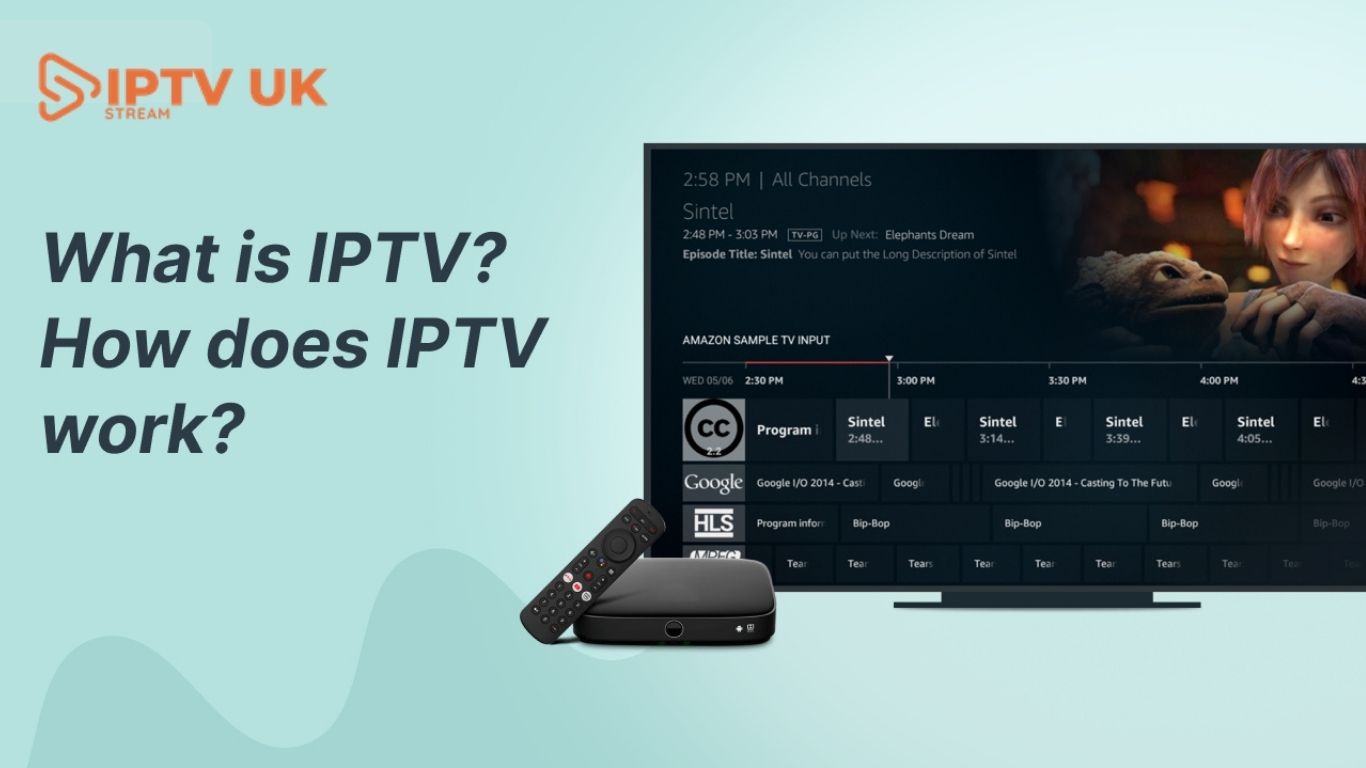
Television entertainment in the United Kingdom has changed dramatically over the last decade. Traditional cable and satellite services are no longer the only way people watch television. Millions of households are now turning to internet-based streaming services that offer greater flexibility, affordability, and variety of content. One of the biggest technologies driving this transformation is IPTV. Many people searching online ask the same question: What Is IPTV and How It Works in UK Understanding IPTV is important because it has become one of the fastest-growing entertainment technologies in modern homes. IPTV allows users to stream live television channels, sports events, movies, and on-demand content over an internet connection rather than traditional satellite or cable systems. As internet speeds improve and Smart TV technology advances, IPTV services continue to grow in popularity across Britain.

Industry reports show that internet-based television consumption continues growing rapidly as viewers prefer flexible streaming over expensive cable subscriptions.

What Is IPTV?

IPTV stands for Internet Protocol Television. Instead of broadcasting television signals via cable wires or satellite dishes, IPTV delivers television content over the internet.

In simple terms, IPTV uses the internet to stream TV channels and entertainment directly to compatible devices.

Users can watch:

  • Live TV channels
  • Sports events
  • Movies
  • TV series
  • International programming
  • Video-on-demand content

IPTV technology works similarly to online streaming platforms but focuses heavily on live television broadcasting.

How IPTV Works in the UK

Understanding how IPTV works is easier than many people think.

Traditional TV vs IPTV

Traditional television systems rely on:

  • Satellite signals
  • Cable networks
  • Antenna broadcasts

IPTV works differently by using:

  • Internet connections
  • Streaming servers
  • Media delivery systems

When a user selects a channel in an IPTV app, the content is streamed instantly over the internet rather than a traditional broadcast signal.

The Basic IPTV Streaming Process

Here is a simplified explanation of how IPTV works:

Step 1: Content Collection

The IPTV provider gathers television content from:

  • Sports broadcasters
  • Movie networks
  • Entertainment channels
  • International stations

Step 2: Content Encoding

The content is converted into digital streaming formats suitable for internet delivery.

Step 3: Server Distribution

The encoded channels are stored on IPTV servers designed for fast online streaming.

Step 4: User Access

Subscribers connect to IPTV services using:

  • IPTV apps
  • Smart TVs
  • Firestick devices
  • Android boxes
  • Smartphones

Step 5: Live Streaming

Once connected, users can instantly stream live channels and on-demand content through their internet connection.

Why IPTV Is Becoming Popular in the UK

IPTV adoption continues to increase because viewers want more flexible entertainment options.

Lower Costs

Traditional television packages can become expensive due to:

  • Sports channel fees
  • Equipment rentals
  • Installation costs

IPTV services often provide:

  • Affordable subscriptions
  • Flexible plans
  • More content options

Huge Channel Selection

Many IPTV providers offer:

  • UK television channels
  • International stations
  • Sports networks
  • Movie channels
  • Kids programming

This creates a complete entertainment solution for modern households.

Flexible Streaming Anywhere

Users can stream IPTV:

  • At home
  • While traveling
  • On mobile devices
  • Across multiple screens

This convenience appeals to modern viewers who prefer entertainment flexibility.

Devices Used for IPTV Streaming

One of IPTV’s biggest advantages is compatibility with multiple devices.

Smart TVs

Modern Smart TVs support IPTV apps directly, making installation simple.

Amazon Firestick

Fire TV Stick devices are extremely popular because they are:

  • Affordable
  • Portable
  • Easy to use

Android TV Boxes

Android boxes provide:

  • Advanced customization
  • IPTV app flexibility
  • Strong playback performance

Mobile Devices

Users can stream IPTV on:

  • Smartphones
  • Tablets
  • Laptops

This allows access to entertainment almost anywhere with internet connectivity.

Types of IPTV Services

IPTV services usually fall into several categories.

Live Television IPTV

This includes:

  • Sports channels
  • News networks
  • Entertainment programming
  • Live broadcasts

Video-on-Demand (VOD)

VOD services allow users to watch:

  • Movies
  • TV series
  • Documentaries
  • Recorded programs

Catch-Up TV

Some IPTV services provide replay functionality for previously aired content.

Time-Shifted IPTV

This feature allows viewers to pause or rewind live television streams.

Why Sports Fans Prefer IPTV

Sports streaming is one of the main reasons IPTV has become popular in the UK.

Football Coverage

IPTV users often access:

  • Premier League
  • UEFA Champions League
  • Europa League
  • FA Cup matches

Combat Sports

Many IPTV services include:

  • UFC events
  • Boxing PPV fights
  • WWE programming

Cricket and Motorsports

Sports fans can also watch:

  • Formula 1
  • Cricket tournaments
  • Tennis championships
  • Rugby events

The ability to stream multiple sports channels under one subscription attracts large audiences.

Internet Speed Requirements for IPTV

Internet quality directly affects IPTV performance.

Recommended Speeds

Standard Definition10 MbpsHD Streaming20 Mbps4K Streaming50 Mbps

Using Ethernet connections instead of Wi-Fi can improve streaming stability.

Benefits of IPTV Over Traditional Cable TV

IPTV offers several advantages over older television systems.

No Satellite Dishes

Users only need:

  • Internet access
  • Compatible devices
  • IPTV subscriptions

Multi-Device Support

Many IPTV services work across:

  • TVs
  • Mobile devices
  • Tablets
  • Computers

Large Content Libraries

IPTV often combines:

  • Live TV
  • Movies
  • Sports
  • On-demand entertainment

Flexible Subscription Plans

Unlike cable contracts, IPTV providers frequently offer:

  • Monthly subscriptions
  • Quarterly plans
  • Annual packages

How to Set Up IPTV in the UK

Setting up IPTV is usually simple.

Step 1: Choose an IPTV Provider

Select a provider offering:

  • Stable streams
  • Sports channels
  • HD quality
  • Customer support

Step 2: Install an IPTV App

Popular IPTV apps include:

  • IPTV Smarters
  • TiviMate
  • XCIPTV
  • Smart IPTV

Step 3: Add IPTV Credentials

Providers usually supply:

  • M3U playlist links
  • Xtream Codes login details
  • Username and password

Step 4: Start Streaming

Once configured, users can access live channels and on-demand content instantly.

Common IPTV Problems and Solutions

Even Premium IPTV UK services occasionally face technical issues.

Buffering Problems

Possible causes:

  • Slow internet
  • Weak Wi-Fi signals
  • Server congestion

Solutions:

  • Upgrade internet speed
  • Use Ethernet
  • Restart streaming devices

Channel Freezing

Frozen streams may occur because of:

  • Outdated apps
  • Temporary server overload
  • Device overheating

Playback Errors

These are often solved by:

  • Updating IPTV apps
  • Refreshing playlists
  • Restarting devices

Understanding IPTV Legality in the UK

IPTV itself is a legal technology used by many legitimate streaming companies. However, legality depends on whether providers have broadcasting rights for the content they distribute.

Users should always choose trusted IPTV providers that prioritize:

  • Stable service
  • Secure systems
  • Professional customer support

Recent enforcement actions in the UK show that authorities continue to monitor unauthorized streaming platforms.

Why Many Users Choose IPTV UKV

iptvukv.com provides IPTV solutions designed for modern streaming audiences seeking flexible entertainment access.

Potential advantages may include:

  • Extensive live TV channels
  • Sports streaming
  • HD and 4K support
  • Smart TV compatibility
  • Firestick support
  • Affordable subscription options

For users looking to upgrade their entertainment systems, IPTV is becoming one of the most practical digital streaming solutions available today.

The Future of IPTV in the UK

The IPTV industry continues to evolve rapidly.

Future developments may include:

  • AI-powered recommendations
  • Voice-controlled streaming
  • Interactive sports features
  • Cloud DVR integration
  • Virtual reality entertainment

Experts expect internet-based television to dominate future home entertainment as digital streaming technology improves worldwide.

Security Tips for IPTV Users

Users should follow basic safety practices when using IPTV services.

Important IPTV Safety Tips

  • Use trusted IPTV providers.
  • Keep apps updated
  • Use strong passwords
  • Avoid suspicious streaming links.
  • Secure home internet networks

Reliable IPTV providers prioritize customer privacy and stable streaming experiences.

Frequently Asked Questions About IPTV and How It Works in the UK

1. What does IPTV mean?

IPTV stands for Internet Protocol Television, which streams television content through the internet.

2. Can IPTV work on Smart TVs?

Yes. Most modern Smart TVs support IPTV applications and streaming services.

3. Is IPTV good for sports streaming?

Absolutely. IPTV is widely used for football, UFC, Formula 1, boxing, cricket, and many other sports.

4. What internet speed is best for IPTV?

At least 20 Mbps is recommended for HD streaming, while 50 Mbps is ideal for 4K content.

5. Can IPTV replace cable TV?

Many users now prefer IPTV because it offers lower costs, more flexibility, and wider channel access.

6. What devices support IPTV streaming?

IPTV works on Smart TVs, Fire TV Stick devices, Android boxes, smartphones, tablets, and computers.

Conclusion

Understanding what IPTV is and how it works in the UK is becoming increasingly important as digital streaming continues replacing traditional television systems. IPTV allows users to enjoy live TV, sports, movies, and international entertainment via the internet, without the limitations of cable or satellite services.

With flexible subscriptions, multi-device compatibility, affordable pricing, and access to thousands of channels, IPTV has become one of the most popular entertainment solutions for modern households across Britain.

For viewers seeking reliable IPTV streaming and premium entertainment, exploring the services at iptvukv.com can offer a smarter, more flexible viewing experience for the future.

15 Powerful Reasons Why Best IPTV UK for Fire Stick Is Dominating Streaming in 2026

15 Powerful Reasons Why Best IPTV UK for Fire Stick Is Dominating Streaming in 2026

Best IPTV UK for Fire Stick

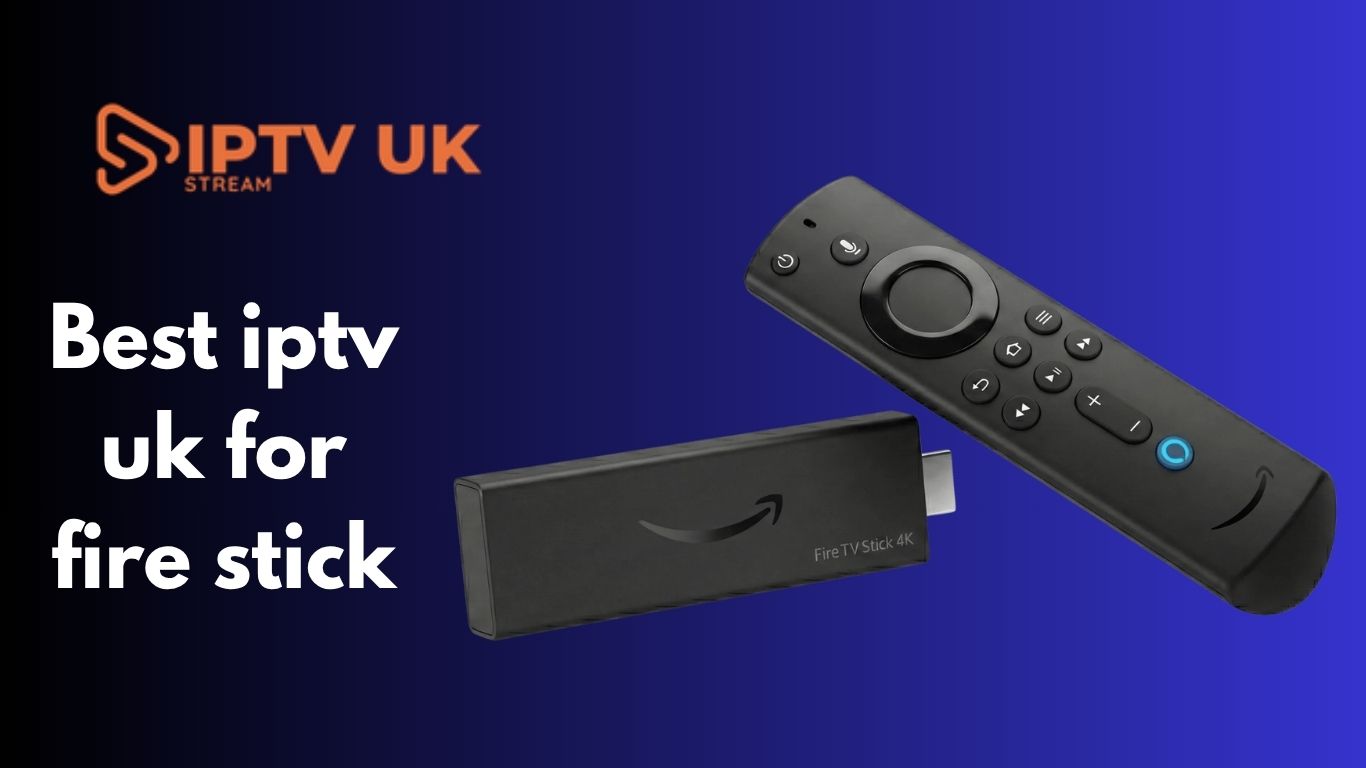
Streaming entertainment has completely changed the way people watch television in the UK. Traditional cable subscriptions are fading, while IPTV services continue to grow rapidly. If you own an Amazon Best iptv uk for Fire Stick, finding the best IPTV UK for Fire Stick can transform your viewing experience with thousands of live channels, sports events, movies, and TV series. Many UK households now prefer IPTV because it offers flexibility, affordability, and compatibility with modern devices. The Amazon Fire Stick has become one of the most popular streaming devices thanks to its simple interface and smooth IPTV performance. Recent industry reports also show that Fire TV Stick remains one of the top choices for IPTV streaming in 2026. In this guide, you’ll learn everything about IPTV for Fire TV Stick, including benefits, features, setup methods, IPTV apps, legal considerations, and tips for choosing a reliable provider.

What Is IPTV and Why Is It So Popular in the UK?

IPTV stands for Internet Protocol Television. Instead of receiving television signals through satellite or cable, IPTV delivers content over the internet.

This technology allows users to stream:

  • Live TV channels
  • Sports events
  • Movies
  • TV shows
  • Catch-up TV
  • Video-on-demand content

The UK market has seen a major shift toward IPTV, driven by users seeking more affordable, flexible entertainment options. According to streaming industry guides, IPTV usage has increased significantly due to faster broadband speeds and improved streaming devices.

Why Fire TV Stick Is the Best Device for IPTV

Affordable Streaming Solution

Amazon Fire TV Stick devices are budget-friendly compared to expensive smart TVs or cable boxes.

Easy Installation

Most IPTV apps work smoothly on the Fire TV Stick and can be installed within minutes.

Excellent Performance

Modern Fire Stick models support:

  • 4K streaming
  • HDR
  • Dolby Atmos
  • Wi-Fi 6

This creates a smoother IPTV experience with fewer buffering issues.

Portable and Compact

You can carry your Fire Stick anywhere and plug it into almost any TV.

Key Features of the Best IPTV UK for Fire Stick

Choosing the right IPTV provider is important. Here are the top features to look for.

1. Large Channel Selection

The best IPTV services usually include:

UK ChannelsBBC, ITV, Channel 4SportsSky Sports, TNT SportsMoviesLatest blockbustersInternational ChannelsUSA, Canada, EuropeKids ContentCartoon and family channels

2. High Streaming Quality

A quality IPTV service should support:

  • HD
  • Full HD
  • 4K streaming

Smooth playback matters most during live sports and major events.

3. Anti-Buffer Technology

Buffering ruins the viewing experience. Reliable IPTV services use strong servers and optimised delivery systems to minimise interruptions.

Many IPTV reviewers mention that anti-freeze technology is one of the most important factors for Fire TV Stick users.

4. Electronic Program Guide (EPG)

An EPG works like a traditional TV guide. It helps users easily browse schedules and upcoming shows.

5. Catch-Up and VOD Features

Modern IPTV platforms often include:

  • Replay TV
  • Catch-up channels
  • Massive movie libraries
  • TV series collections

Best IPTV Apps for Fire Stick

While selecting an IPTV provider is crucial, the choice of application also significantly affects the viewing experience.

TiviMate

TiviMate is widely considered one of the best IPTV apps for Fire TV Stick. It offers:

  • Fast channel switching
  • Clean interface
  • Advanced EPG support
  • Multi-playlist management

Several reviews rank TiviMate as the top IPTV player for Fire TV Stick in 2026.

IPTV Smarters Pro

This app is beginner-friendly and easy to install. Features include:

  • Live TV
  • VOD
  • Multi-screen support
  • User-friendly navigation

XCIPTV

XCIPTV provides an intuitive interface and reliable playback performance.

OTT Navigator

Advanced users often prefer OTT Navigator because of its customisation features.

How to Install IPTV on Fire TV Stick

Installing IPTV on a Fire TV Stick is relatively simple.

Step 1 – Install Downloader App

Open the Amazon App Store and download the Downloader application.

Step 2 – Enable Unknown Sources

Go to:

  • Settings
  • My Fire TV
  • Developer Options
  • Enable Apps from Unknown Sources

Step 3 – Download IPTV App

Use Downloader to install your preferred IPTV player.

Step 4 – Enter IPTV Credentials

Add your:

  • M3U URL
  • Xtream Codes
  • Username and password

Step 5 – Start Streaming

Once loaded, your IPTV channels will appear instantly.

Internet Speed Requirements for IPTV

Your internet speed affects streaming quality.

SD10 MbpsHD20 Mbps4K50 Mbps

A stable internet connection is more important than raw speed.

How to Avoid IPTV Buffering on Fire TV Stick

Buffering is one of the biggest complaints among IPTV users.

Use an Ethernet Adapter

A wired connection often performs better than Wi-Fi.

Clear Fire Stick Cache

Too much cache slows performance.

Restart the router regularly.

This refreshes network performance.

Use Reliable IPTV Providers

Cheap providers often overload servers.

Advantages of IPTV Over Traditional Cable

Lower Monthly Costs

Many IPTV subscriptions cost significantly less than cable packages.

More Channel Variety

Users can access global content easily.

Flexible Viewing

Watch content anytime from multiple devices.

No Long Contracts

Most IPTV subscriptions are month-to-month.

With all these benefits, many wonder about IPTV's legal status in the UK. Here’s what you should know about IPTVs' legality.

IPTV technology itself is completely legal. Many legitimate services use IPTV delivery systems.

However, legality depends on whether the provider owns proper broadcasting rights.

Industry experts continue to warn users about unauthorised streaming platforms and illegal modified devices.

Always choose trustworthy IPTV providers that respect content licensing laws.

Why Sports Fans Love IPTV on Fire Stick

Sports streaming is one of IPTV’s biggest attractions.

Fans enjoy access to:

  • Premier League
  • Champions League
  • UFC
  • Boxing
  • Formula 1
  • Cricket

Many reviewers specifically tested IPTV services during major football matches to evaluate buffering and stability.

Best Fire Stick Models for IPTV

Fire TV Stick Lite

This model is suitable for casual viewers.

Fire TV Stick 4K

Ideal balance between price and performance.

Fire TV Stick 4K Max

Excellent for heavy IPTV streaming and 4K playback.

Streaming experts consistently recommend the Fire TV Stick 4K Max for IPTV usage.

Common IPTV Problems and Solutions

BufferingImprove internet speedApp crashesClear cacheLogin errorsCheck credentialsChannel loading issuesRestart appAudio sync problemsRestart Fire Stick

How to Choose the Best IPTV UK for Fire Stick

Look for Free Trials

A trial lets you test performance before subscribing.

Check Customer Support

Responsive support matters when technical issues happen.

Read Real Reviews

Community feedback can reveal reliability issues.

Reddit discussions often highlight real-world IPTV experiences from Fire TV Stick users.

Test During Peak Hours

Sports evenings are the ultimate stress test for IPTV servers.

Security Tips for IPTV Users

Use Strong Passwords

Protect your IPTV accounts from unauthorised access.

Keep Fire Stick Updated

Software updates improve security and performance.

Avoid Suspicious Apps

Only install trusted applications.

The Future of IPTV in the UK

IPTV continues to evolve rapidly.

Future improvements may include:

  • AI-powered recommendations
  • Faster cloud streaming
  • Better 8K support
  • Improved interactive features
  • Advanced personalization

As internet infrastructure improves, IPTV quality will continue to rise across the UK.

Frequently Asked Questions

What is the best IPTV app for Fire TV Stick?

TiviMate and IPTV Smarters Pro are currently among the most popular IPTV apps for Fire TV Stick users.

Does IPTV work well on a Fire TV Stick?

Yes, Fire TV Stick devices are among the best platforms for IPTV streaming because they are affordable, fast, and easy to use.

Can I watch live sports using IPTV?

Many IPTV services provide access to live sports, including football, boxing, UFC, and cricket.

Do I need fast internet for IPTV?

A stable internet connection is important. HD streaming typically requires at least 20 Mbps.

Is the Fire TV Stick good for 4K IPTV streaming?

The Fire TV Stick 4K and 4K Max models are excellent for 4K IPTV playback.

Can IPTV replace cable TV completely?

For many users, IPTV already replaces traditional cable because it offers more flexibility and lower costs.

Conclusion

Finding the best IPTV UK for Fire Stick can dramatically improve your entertainment setup. The combination of IPTV technology and Amazon Fire Stick creates a powerful streaming experience with live TV, movies, sports, and on-demand content all in one place.

When choosing an IPTV service, focus on:

  • Reliability
  • Streaming quality
  • App compatibility
  • Customer support
  • Server stability

A quality IPTV provider paired with a Fire TV Stick 4K Max delivers an outstanding viewing experience for UK households in 2026.

For more information on IPTV and streaming solutions, visit IPTV UKV COM.


How to Fix EPG Not Working on IPTV Smarters Pro – Complete Guide (2025)

How to Fix EPG Not Working on IPTV Smarters Pro – Complete Guide (2025)

How to Fix EPG Not Working on IPTV Smarters Pro – Complete Guide (2025)

One of the most widely used IPTV apps in the UK for watching live TV, films and series is IPTV Smarters Pro. Its EPG (Electronic Program Guide), which functions similarly to a conventional TV guide and displays what is now running and what is coming up, is one of its most notable features.
Nonetheless, a typical problem that many users face is the EPG not functioning or being blank. You’re not the only one who has encountered this annoying issue. Fortunately, fixing it is typically simple.
In this guide by iptvuk.it.com, we’ll walk you through step-by-step solutions to restore your EPG and get back to seamless viewing.

What Is EPG in IPTV Smarters?

EPG (Electronic Program Guide) is the digital schedule of TV programs. It shows:
  • Channel name
  • Current and upcoming shows
  • Start/end times
  • Short descriptions
A working EPG helps you plan what to watch in advance and provides a much smoother experience.

Why EPG Stops Working on IPTV Smarters Pro

There are several reasons why the EPG might not function properly:
  • Incorrect or outdated EPG URL
  • Corrupted cache or app data
  • Inactive or expired IPTV subscription
  • Server issues on the provider’s end
  • Poor internet connection

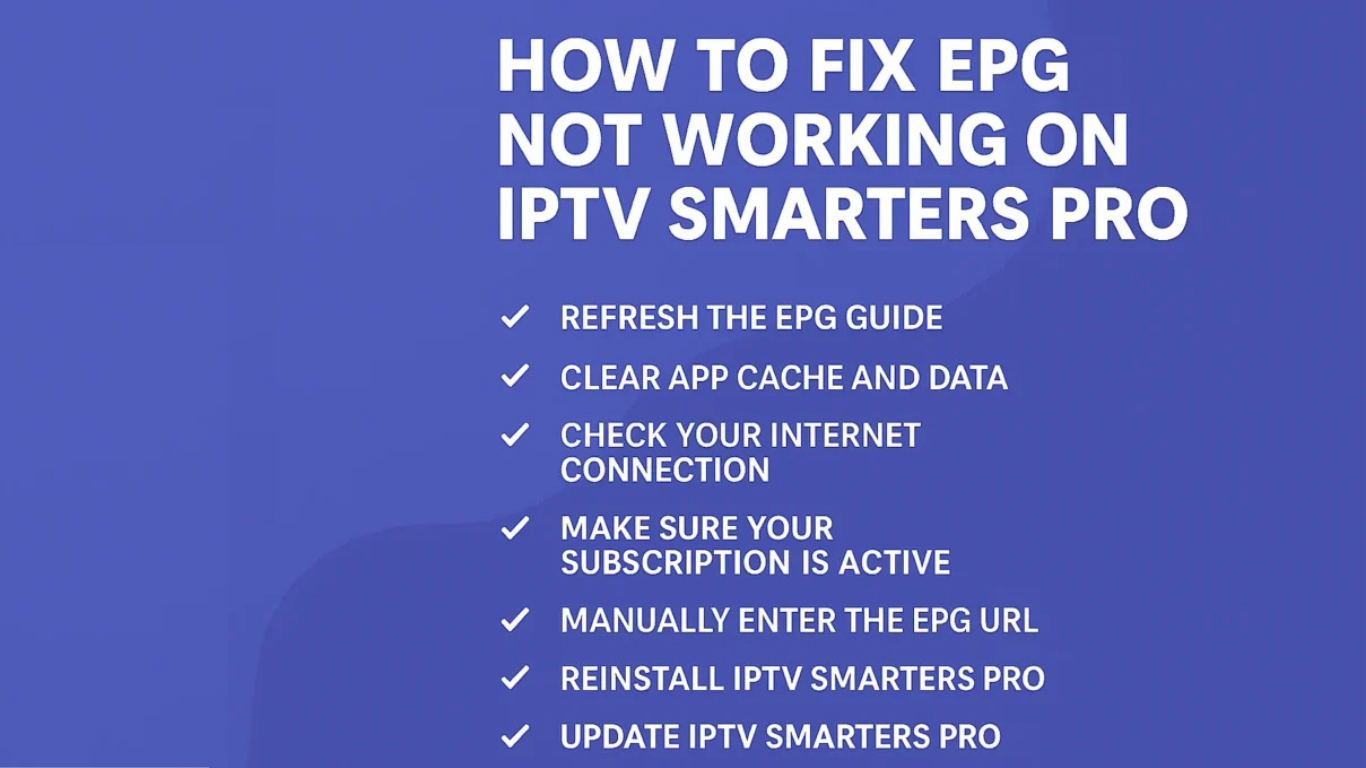
✅ How to Fix EPG Not Working on IPTV Smarters Pro

1. Refresh the EPG Guide

This is the easiest first step to try:
  • Open IPTV Smarters Pro
  • Go to the Live TV section
  • Click the three-dot menu (top right)
  • Tap Refresh EPG
This will reload the guide from your IPTV provider’s server.

2. Clear App Cache and Data

If your app is storing bad data, it can prevent the EPG from updating.
On Android or Firestick:
  • Go to Settings > Applications > IPTV Smarters Pro
  • Select Clear Cache and Clear Data
  • Reopen the app and log in again
  • Try refreshing the EPG again

3. Check Your Internet Connection

A weak or unstable connection can block the app from loading EPG data.
  • Test your connection with another app like YouTube
  • Restart your Wi-Fi router
  • Try switching to mobile data or another network
  • If using a VPN, try disconnecting and checking again

4. Confirm Your IPTV Subscription Is Active

Sometimes, if your subscription has expired or been deactivated, the EPG will stop loading.
Contact iptvuk.it.com support to verify your subscription status or renew it if needed.

5. Manually Add the EPG URL

If the automatic EPG sync fails, try entering it manually:
  • Open IPTV Smarters Pro and go to Settings
  • Click on EPG
  • Paste the EPG link provided byiptvuk.it.com
  • Save and refresh
Contact support if you don’t have the EPG link handy.

6. Reinstall IPTV Smarters Pro

A fresh install often clears hidden glitches:
  • Uninstall the app
  • Restart your device
  • Reinstall from your app store
  • Login with your IPTV credentials
  • Try refreshing the EPG again

7. Update the App to the Latest Version

Using an outdated version of IPTV Smarters Pro can cause bugs or incompatibility.
Visit the official website or app store and ensure you’re on the latest version.

8. Test the EPG on Another Device

If the EPG works on your phone but not your TV, the issue is device-related.
  • Try logging into your IPTV account on another device (smartphone, tablet, PC)
  • Compare if the EPG loads there

9. Contact iptvuk.it.com Support

If none of the above fixes help, contact us directly:
Email: huzaifaxshapoda@gmail.com
Live Chat: Available on our website
WhatsApp Support: Fastest response

Final Thoughts

The actions listed above can nearly always resolve the common problem of IPTV Smarters Pro’s EPG not working. With just a manual URL update, reinstall, or simple refresh, you should be able to resume full operation in a matter of minutes.
Still need help? Our team at iptvuk.it.com is here to ensure you get the best IPTV experience possible. Reach out any time for expert assistance.
Explore our IPTV plans today and enjoy reliable streaming with over 175,000 channels, movies, and series — all with built-in VPN protection and 24/7 support.

Agent Available WhatsApp Messenger Logo