Is

How to Fix IPTV Buffering: Complete Troubleshooting Guide for Smooth Streaming

How to Fix IPTV Buffering: Complete Troubleshooting Guide for Smooth Streaming

introduction:

How to Fix IPTV Buffering IPTV has become one of the most popular ways to watch live television, sports, movies, and on-demand content. Its flexibility, affordability, and large content libraries have made it an attractive alternative to traditional cable and satellite television. However, one issue that frustrates many IPTV users is buffering. Nothing ruins a football match, movie night, or live event faster than constant buffering. When a stream freezes, pauses, or repeatedly loads, the viewing experience becomes frustrating and unreliable. Fortunately, buffering is often caused by identifiable factors that can be corrected. Whether the problem is related to internet speed, device performance, network congestion, or IPTV settings, there are several proven solutions that can significantly improve streaming quality. In this comprehensive guide, you’ll learn what causes how to fix IPTV buffering and it effectively for a smoother and more enjoyable viewing experience.

What Is IPTV Buffering?

Buffering occurs when your IPTV application temporarily pauses playback while it downloads additional video data.

Streaming services rely on a continuous flow of information from servers to your device. If data arrives slower than the video is being played, the application pauses to load more content.

Buffering may appear as:

  • Loading circles
  • Frozen screens
  • Playback interruptions
  • Reduced video quality
  • Audio and video synchronization problems

Occasional buffering is normal, but frequent interruptions usually indicate an underlying issue.

Common Causes of IPTV Buffering

Before attempting solutions, it’s important to understand what causes buffering.

Several factors may contribute to streaming problems.

Slow Internet Connection

One of the most common causes is insufficient internet speed.

High-definition IPTV streams require stable bandwidth. If your connection cannot consistently deliver enough data, buffering may occur.

Network Congestion

Network congestion happens when multiple devices share the same internet connection.

Common bandwidth-consuming activities include:

  • Online gaming
  • Large downloads
  • Video conferencing
  • Cloud backups
  • Multiple streaming services

These activities can reduce available bandwidth for IPTV.

Weak Wi-Fi Signal

Wireless connections are convenient but not always reliable.

Signal interference can come from:

  • Thick walls
  • Household appliances
  • Distance from the router
  • Neighboring wireless networks

Weak signals often lead to unstable IPTV performance.

Device Limitations

Older devices may struggle to process modern IPTV streams efficiently.

Common issues include:

  • Limited memory
  • Outdated hardware
  • Slow processors
  • Software conflicts

IPTV Server Overload

Sometimes the issue is not on the user’s side.

Popular channels and major sporting events can place heavy demands on IPTV servers.

When too many users connect simultaneously, buffering may occur.

How to Fix IPTV Buffering Effectively

Let’s examine the most effective solutions.

1. Check Your Internet Speed

Your internet connection is the foundation of IPTV performance.

Recommended speeds include:

Streaming QualityRecommended SpeedSD5 MbpsHD10 MbpsFull HD15 Mbps4K UHD25 Mbps+

If your speed falls below these recommendations, upgrading your internet plan may improve streaming quality.

2. Restart Your Router

Many network issues can be resolved by restarting the router.

A simple restart helps:

  • Clear temporary errors
  • Refresh network connections
  • Improve router performance

Turn the router off for approximately 30 seconds before restarting.

3. Use an Ethernet Connection

Wi-Fi is convenient but can introduce instability.

An Ethernet cable provides:

  • Faster data transfer
  • Lower latency
  • Greater reliability
  • Reduced interference

For IPTV streaming, wired connections often deliver the best results.

4. Move Closer to the Router

If Ethernet is not an option, improving Wi-Fi signal strength can help.

Try:

  • Moving the device closer
  • Reducing physical obstructions
  • Repositioning the router

A stronger signal often improves streaming consistency.

5. Close Background Applications

Many devices run multiple applications simultaneously.

Background processes can consume:

  • Bandwidth
  • Memory
  • Processing power

Close unnecessary apps before launching IPTV services.

6. Clear IPTV App Cache

Over time, IPTV applications accumulate temporary files.

Large cache files may affect performance.

Clearing the cache can:

  • Improve responsiveness
  • Reduce loading times
  • Fix playback issues

Many IPTV apps include built-in cache management options.

7. Update Your IPTV Application

Developers frequently release updates that improve performance and stability.

Software updates may include:

  • Bug fixes
  • Security enhancements
  • Improved compatibility
  • Better streaming optimization

Always use the latest version when possible.

8. Update Device Firmware

Operating system updates can improve IPTV performance.

Whether using:

  • Android TV
  • Firestick
  • Smart TV
  • Mobile devices

Keeping software current helps maintain compatibility and stability.

9. Reduce Video Resolution

Higher resolutions require more bandwidth.

If buffering persists, temporarily switch from:

  • 4K to Full HD
  • Full HD to HD

Lower resolutions reduce network demands and often improve playback.

10. Test Different Channels

Not all channels perform identically.

Sometimes buffering affects only specific streams.

Check:

  • Multiple live channels
  • Different categories
  • Video-on-demand content

This helps determine whether the issue is isolated or widespread.

11. Avoid Peak Usage Hours

Internet congestion can increase during busy periods.

Common peak times include:

  • Evenings
  • Weekends
  • Major sporting events

Testing IPTV performance during quieter hours may reveal whether congestion contributes to buffering.

12. Upgrade Your Router

Older routers may struggle to handle modern streaming demands.

Newer routers offer:

  • Faster speeds
  • Improved coverage
  • Better traffic management
  • Enhanced wireless performance

A router upgrade can significantly improve IPTV reliability.

13. Limit Simultaneous Connections

Every connected device consumes network resources.

Examples include:

  • Smartphones
  • Tablets
  • Gaming consoles
  • Smart home devices

Reducing simultaneous usage often improves IPTV performance.

14. Reboot Your Streaming Device

Like computers, streaming devices benefit from occasional restarts.

A reboot can:

  • Free memory
  • Close background processes
  • Refresh network connections

Simple reboots often solve temporary streaming issues.

15. Contact Your IPTV Provider

If buffering continues despite troubleshooting, contact your provider.

Provide details such as:

  • Device type
  • Internet speed
  • Affected channels
  • Time of occurrence

This information helps support teams identify potential service issues.

Signs That the Problem Is Your Internet

Certain symptoms indicate local network issues.

These include:

  • Slow website loading
  • Multiple streaming services are buffering
  • Frequent disconnections
  • Poor download speeds

In these cases, focus on improving internet performance.

Signs That the Problem Is the IPTV Service

Other symptoms may suggest provider-related issues.

Examples include:

  • Only specific channels are buffering
  • Issues during major live events
  • Multiple users are reporting problems
  • Good internet speed, but poor IPTV performance

Identifying the source helps determine the appropriate solution.

Best Devices for IPTV Streaming

Device quality plays an important role in performance.

Popular IPTV devices include:

Android TV Boxes

Known for:

  • Strong performance
  • App flexibility
  • Broad compatibility

Amazon Firestick

Popular because of:

  • Affordability
  • Easy setup
  • Reliable streaming

Smart TVs

Modern televisions often support IPTV applications directly.

Dedicated Streaming Hardware

Premium streaming devices typically provide:

  • Faster processors
  • Better memory management
  • Improved video decoding

These features contribute to smoother playback.

How to Prevent Future Buffering Problems

Preventative measures often reduce future issues.

Consider these best practices:

  • Use wired connections whenever possible.
  • Keep software updated
  • Maintain strong Wi-Fi coverage.
  • Monitor internet speeds regularly.
  • Clear the application cache periodically
  • Restart devices occasionally

Small maintenance steps can significantly improve long-term performance.

Frequently Asked Questions

Why does IPTV keep buffering?

Buffering typically occurs due to slow internet speeds, network congestion, weak Wi-Fi signals, device limitations, or server-related issues.

Does faster internet reduce buffering?

In many cases, yes. Faster and more stable internet connections generally improve IPTV performance.

Is Wi-Fi or Ethernet better for IPTV?

Ethernet is usually more reliable because it provides a direct connection with less interference.

Can an old device cause buffering?

Yes. Older devices may lack the processing power needed for modern IPTV streams.

Does clearing the cache help IPTV performance?

Clearing the cache can improve application responsiveness and reduce playback issues.

Should I upgrade my router?

If your router is outdated or struggles with multiple devices, upgrading may improve IPTV streaming quality.

Conclusion

Buffering is one of the most common IPTV problems, but it is often easier to fix than many users realize. By improving internet speed, strengthening network stability, updating devices, optimizing settings, and using reliable hardware, viewers can dramatically reduce interruptions and enjoy smoother streaming. While occasional buffering may occur due to temporary network conditions, persistent problems usually have identifiable causes. Following the solutions outlined in this guide can help create a more stable IPTV experience and ensure uninterrupted access to live television, sports, movies, and on-demand content. For most users, a combination of faster internet, proper device maintenance, and network optimization provides the best path toward buffer-free IPTV streaming.
What Is IPTV and How It Works in UK: A Complete Beginner’s Guide for 2026

What Is IPTV and How It Works in UK: A Complete Beginner’s Guide for 2026

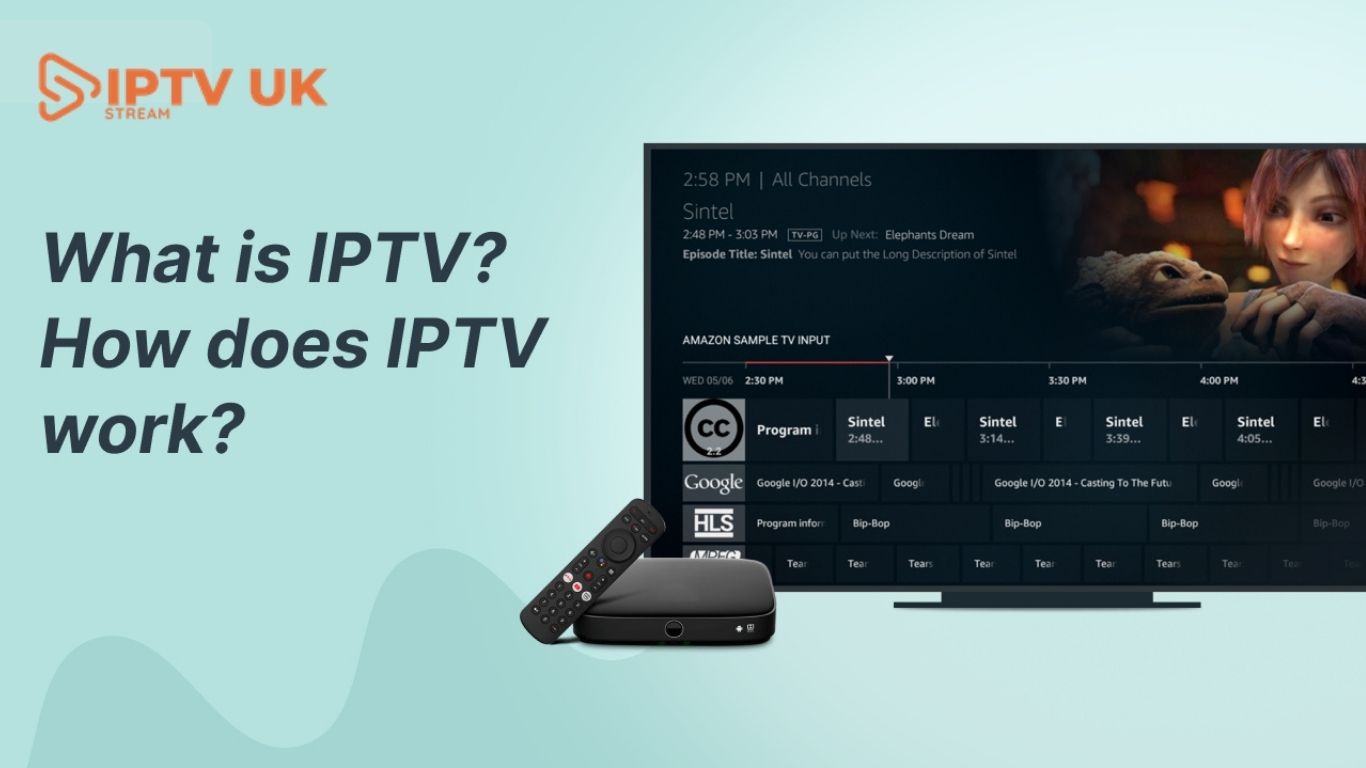
Television entertainment in the United Kingdom has changed dramatically over the last decade. Traditional cable and satellite services are no longer the only way people watch television. Millions of households are now turning to internet-based streaming services that offer greater flexibility, affordability, and variety of content. One of the biggest technologies driving this transformation is IPTV. Many people searching online ask the same question: What Is IPTV and How It Works in UK Understanding IPTV is important because it has become one of the fastest-growing entertainment technologies in modern homes. IPTV allows users to stream live television channels, sports events, movies, and on-demand content over an internet connection rather than traditional satellite or cable systems. As internet speeds improve and Smart TV technology advances, IPTV services continue to grow in popularity across Britain.

Industry reports show that internet-based television consumption continues growing rapidly as viewers prefer flexible streaming over expensive cable subscriptions.

What Is IPTV?

IPTV stands for Internet Protocol Television. Instead of broadcasting television signals via cable wires or satellite dishes, IPTV delivers television content over the internet.

In simple terms, IPTV uses the internet to stream TV channels and entertainment directly to compatible devices.

Users can watch:

  • Live TV channels
  • Sports events
  • Movies
  • TV series
  • International programming
  • Video-on-demand content

IPTV technology works similarly to online streaming platforms but focuses heavily on live television broadcasting.

How IPTV Works in the UK

Understanding how IPTV works is easier than many people think.

Traditional TV vs IPTV

Traditional television systems rely on:

  • Satellite signals
  • Cable networks
  • Antenna broadcasts

IPTV works differently by using:

  • Internet connections
  • Streaming servers
  • Media delivery systems

When a user selects a channel in an IPTV app, the content is streamed instantly over the internet rather than a traditional broadcast signal.

The Basic IPTV Streaming Process

Here is a simplified explanation of how IPTV works:

Step 1: Content Collection

The IPTV provider gathers television content from:

  • Sports broadcasters
  • Movie networks
  • Entertainment channels
  • International stations

Step 2: Content Encoding

The content is converted into digital streaming formats suitable for internet delivery.

Step 3: Server Distribution

The encoded channels are stored on IPTV servers designed for fast online streaming.

Step 4: User Access

Subscribers connect to IPTV services using:

  • IPTV apps
  • Smart TVs
  • Firestick devices
  • Android boxes
  • Smartphones

Step 5: Live Streaming

Once connected, users can instantly stream live channels and on-demand content through their internet connection.

Why IPTV Is Becoming Popular in the UK

IPTV adoption continues to increase because viewers want more flexible entertainment options.

Lower Costs

Traditional television packages can become expensive due to:

  • Sports channel fees
  • Equipment rentals
  • Installation costs

IPTV services often provide:

  • Affordable subscriptions
  • Flexible plans
  • More content options

Huge Channel Selection

Many IPTV providers offer:

  • UK television channels
  • International stations
  • Sports networks
  • Movie channels
  • Kids programming

This creates a complete entertainment solution for modern households.

Flexible Streaming Anywhere

Users can stream IPTV:

  • At home
  • While traveling
  • On mobile devices
  • Across multiple screens

This convenience appeals to modern viewers who prefer entertainment flexibility.

Devices Used for IPTV Streaming

One of IPTV’s biggest advantages is compatibility with multiple devices.

Smart TVs

Modern Smart TVs support IPTV apps directly, making installation simple.

Amazon Firestick

Fire TV Stick devices are extremely popular because they are:

  • Affordable
  • Portable
  • Easy to use

Android TV Boxes

Android boxes provide:

  • Advanced customization
  • IPTV app flexibility
  • Strong playback performance

Mobile Devices

Users can stream IPTV on:

  • Smartphones
  • Tablets
  • Laptops

This allows access to entertainment almost anywhere with internet connectivity.

Types of IPTV Services

IPTV services usually fall into several categories.

Live Television IPTV

This includes:

  • Sports channels
  • News networks
  • Entertainment programming
  • Live broadcasts

Video-on-Demand (VOD)

VOD services allow users to watch:

  • Movies
  • TV series
  • Documentaries
  • Recorded programs

Catch-Up TV

Some IPTV services provide replay functionality for previously aired content.

Time-Shifted IPTV

This feature allows viewers to pause or rewind live television streams.

Why Sports Fans Prefer IPTV

Sports streaming is one of the main reasons IPTV has become popular in the UK.

Football Coverage

IPTV users often access:

  • Premier League
  • UEFA Champions League
  • Europa League
  • FA Cup matches

Combat Sports

Many IPTV services include:

  • UFC events
  • Boxing PPV fights
  • WWE programming

Cricket and Motorsports

Sports fans can also watch:

  • Formula 1
  • Cricket tournaments
  • Tennis championships
  • Rugby events

The ability to stream multiple sports channels under one subscription attracts large audiences.

Internet Speed Requirements for IPTV

Internet quality directly affects IPTV performance.

Recommended Speeds

Standard Definition10 MbpsHD Streaming20 Mbps4K Streaming50 Mbps

Using Ethernet connections instead of Wi-Fi can improve streaming stability.

Benefits of IPTV Over Traditional Cable TV

IPTV offers several advantages over older television systems.

No Satellite Dishes

Users only need:

  • Internet access
  • Compatible devices
  • IPTV subscriptions

Multi-Device Support

Many IPTV services work across:

  • TVs
  • Mobile devices
  • Tablets
  • Computers

Large Content Libraries

IPTV often combines:

  • Live TV
  • Movies
  • Sports
  • On-demand entertainment

Flexible Subscription Plans

Unlike cable contracts, IPTV providers frequently offer:

  • Monthly subscriptions
  • Quarterly plans
  • Annual packages

How to Set Up IPTV in the UK

Setting up IPTV is usually simple.

Step 1: Choose an IPTV Provider

Select a provider offering:

  • Stable streams
  • Sports channels
  • HD quality
  • Customer support

Step 2: Install an IPTV App

Popular IPTV apps include:

  • IPTV Smarters
  • TiviMate
  • XCIPTV
  • Smart IPTV

Step 3: Add IPTV Credentials

Providers usually supply:

  • M3U playlist links
  • Xtream Codes login details
  • Username and password

Step 4: Start Streaming

Once configured, users can access live channels and on-demand content instantly.

Common IPTV Problems and Solutions

Even Premium IPTV UK services occasionally face technical issues.

Buffering Problems

Possible causes:

  • Slow internet
  • Weak Wi-Fi signals
  • Server congestion

Solutions:

  • Upgrade internet speed
  • Use Ethernet
  • Restart streaming devices

Channel Freezing

Frozen streams may occur because of:

  • Outdated apps
  • Temporary server overload
  • Device overheating

Playback Errors

These are often solved by:

  • Updating IPTV apps
  • Refreshing playlists
  • Restarting devices

Understanding IPTV Legality in the UK

IPTV itself is a legal technology used by many legitimate streaming companies. However, legality depends on whether providers have broadcasting rights for the content they distribute.

Users should always choose trusted IPTV providers that prioritize:

  • Stable service
  • Secure systems
  • Professional customer support

Recent enforcement actions in the UK show that authorities continue to monitor unauthorized streaming platforms.

Why Many Users Choose IPTV UKV

iptvukv.com provides IPTV solutions designed for modern streaming audiences seeking flexible entertainment access.

Potential advantages may include:

  • Extensive live TV channels
  • Sports streaming
  • HD and 4K support
  • Smart TV compatibility
  • Firestick support
  • Affordable subscription options

For users looking to upgrade their entertainment systems, IPTV is becoming one of the most practical digital streaming solutions available today.

The Future of IPTV in the UK

The IPTV industry continues to evolve rapidly.

Future developments may include:

  • AI-powered recommendations
  • Voice-controlled streaming
  • Interactive sports features
  • Cloud DVR integration
  • Virtual reality entertainment

Experts expect internet-based television to dominate future home entertainment as digital streaming technology improves worldwide.

Security Tips for IPTV Users

Users should follow basic safety practices when using IPTV services.

Important IPTV Safety Tips

  • Use trusted IPTV providers.
  • Keep apps updated
  • Use strong passwords
  • Avoid suspicious streaming links.
  • Secure home internet networks

Reliable IPTV providers prioritize customer privacy and stable streaming experiences.

Frequently Asked Questions About IPTV and How It Works in the UK

1. What does IPTV mean?

IPTV stands for Internet Protocol Television, which streams television content through the internet.

2. Can IPTV work on Smart TVs?

Yes. Most modern Smart TVs support IPTV applications and streaming services.

3. Is IPTV good for sports streaming?

Absolutely. IPTV is widely used for football, UFC, Formula 1, boxing, cricket, and many other sports.

4. What internet speed is best for IPTV?

At least 20 Mbps is recommended for HD streaming, while 50 Mbps is ideal for 4K content.

5. Can IPTV replace cable TV?

Many users now prefer IPTV because it offers lower costs, more flexibility, and wider channel access.

6. What devices support IPTV streaming?

IPTV works on Smart TVs, Fire TV Stick devices, Android boxes, smartphones, tablets, and computers.

Conclusion

Understanding what IPTV is and how it works in the UK is becoming increasingly important as digital streaming continues replacing traditional television systems. IPTV allows users to enjoy live TV, sports, movies, and international entertainment via the internet, without the limitations of cable or satellite services.

With flexible subscriptions, multi-device compatibility, affordable pricing, and access to thousands of channels, IPTV has become one of the most popular entertainment solutions for modern households across Britain.

For viewers seeking reliable IPTV streaming and premium entertainment, exploring the services at iptvukv.com can offer a smarter, more flexible viewing experience for the future.

How IPTV is Adapting to the Metaverse

How IPTV is Adapting to the Metaverse
How IPTV is Adapting to the Metaverse? The media world is changing fast as the metaverse becomes more popular. It mixes real and digital worlds. IPTV providers are using this chance to change how we watch TV, with virtual reality and other new tech.
As the metaverse grows, IPTV is ready to adapt and do well. It will give viewers a new way to get involved and interact with shows.

Key Takeaways

  • IPTV is using the metaverse to make new, exciting ways to watch TV.
  • Virtual reality is changing how we watch IPTV, making it more interactive.
  • IPTV is working with virtual platforms to offer smooth, full entertainment.
  • Personalised tips and picking content are making IPTV better in the metaverse.
  • Overcoming tech issues and keeping viewer privacy are big challenges for IPTV in the metaverse.

Understanding IPTV and the Metaverse

In today’s digital world, Internet Protocol Television (IPTV) and the metaverse are changing how we watch and interact with content. It’s key to know what IPTV and the metaverse are about.

What is IPTV?

IPTV, or Internet Protocol Television, sends TV shows over the internet. It’s different from old TV because it lets you watch what you want, when you want. You can see lots of channels, movies, and shows on your devices connected to the internet.

Exploring the Metaverse

The metaverse is a shared, virtual worlds space. Here, people can meet and interact with digital platforms in a fun, real way. IPTV and the metaverse together bring new ways to watch content and connect with others.
Knowing about IPTV and the metaverse helps us see how they work together. This shows us the exciting future of entertainment and talking to each other.

The Rise of Virtual Reality in IPTV

Virtual reality (VR) is becoming a big part of IPTV. This change is making watching TV more exciting and real. It’s turning entertainment into something you can really feel.

Enhanced Viewing Experiences

VR headsets are changing how we watch TV. They let us see content in 360 degrees. It feels like we’re right there in the action.
Whether it’s live events or movies, VR TV is more fun than regular TV. It makes watching feel like a real adventure.

User Interaction and Engagement

VR in IPTV also means we can interact more. We can move around in virtual worlds and touch things on screen. It’s like being part of the show.
Creators can make even better shows for us. They can make experiences that feel real and fun. It’s a new way to enjoy TV together.
Viewing Experience2D screen-basedFully immersive 360-degree environment
User InteractionLimited to remote control or mobile appIntuitive VR controls and gestures
Content FormatsStandard video and audio
360-degree video, interactive streaming, and immersive content
VR in IPTV is a big change. It makes watching TV more fun and real. As tech gets better, VR will play a bigger role in how we watch TV.

Innovations in IPTV Technology

The metaverse is growing, and IPTV services are key to it. New tech is making streaming better and faster. This means a more exciting experience for those exploring the digital world.

Streaming Quality and Performance

5G networks and cloud streaming have boosted IPTV quality. Now, IPTV can offer smooth, high-definition content. This makes watching shows and movies in the metaverse more fun and interactive.

Integration with Virtual Platforms

IPTV is now part of the metaverse, making watching shows more immersive. Cloud streaming and advanced tech help tailor content for the metaverse. This lets users enjoy their favourite shows right in the virtual world.
IPTV’s role in the metaverse will grow. By using new tech, IPTV can give users a top-notch viewing experience. It’s all about making the virtual world feel real and engaging.

Immersive Content Creation

The metaverse is growing, and content creators are diving in. They’re making immersive experiences for this new virtual world. From 3D content to virtual production, the metaverse is a blank canvas for stories and engagement.

Original Programming for the Metaverse

IPTV providers are leading the way with original metaverse content. This content uses virtual environments to offer viewers something special. It combines live-action, computer-generated imagery, and interactive parts for a unique experience.

Collaboration with Game Developers

IPTV providers are working with game developers to improve metaverse content. This partnership brings together the best of both worlds. It creates virtual experiences that feel real and engaging.
This mix of IPTV and the metaverse is opening up new ways to create content. It’s making cross-platform experiences that go beyond what we’re used to. As the metaverse grows, IPTV’s role in shaping it will become more important.
Experiences designed specifically for the virtual environment of the metaverse, leveraging its unique features and capabilities.Content that seamlessly integrates and transitions between IPTV and gaming or other virtual platforms, offering a cohesive and immersive experience.

Monetisation Strategies in the Metaverse

The metaverse is growing fast, and IPTV providers are finding new ways to make money. They’re using subscriptions and microtransactions to change the digital economy. This opens up new chances for creators and service providers.

Subscriptions vs. Microtransactions

Subscriptions are a big part of making money in the metaverse. IPTV providers offer different plans for users. This lets them get premium content and special features.
Microtransactions are also popular. They let users buy small things like virtual items or special services. This makes their experience even better.
Subscriptions
  • Steady revenue stream
  • Access to premium content and features
  • Builds loyalty and engagement
  • Potential user resistance to recurring fees
  • Balancing value proposition against cost
Microtransactions
  • Flexible, user-driven monetisation
  • Opportunity for personalisation and customisation
  • Potential for higher overall revenue
  • Risk of perceived ‘nickel and diming’
  • Careful balance of pricing and perceived value

Advertising Opportunities in Virtual Spaces

The metaverse is a great place for ads. Advertisers can make campaigns that fit right into the virtual world. This includes things like virtual billboards and product placements.
IPTV providers need to keep up with the metaverse’s changes. They should use new ways to make money and improve the user experience.

Social Viewing Experiences

The metaverse is changing how we watch TV. IPTV providers are using it to create social viewing experiences. These experiences bring people together like never before. From virtual watch parties to community-driven content, IPTV is changing how we watch our favourite shows and interact with others.

Watching Together in VR

IPTV and VR technology let users watch together in virtual spaces. They can enjoy live events, films, and TV shows together. This creates a sense of togetherness, allowing friends, families, and communities to share experiences and discuss them in real-time.

Building Communities Around Content

IPTV lets users take part in the content they watch. They can share their thoughts, create fan art, and even help shape the story. This approach builds vibrant communities around the content. It creates a deeper connection between audiences and the programmes they love.
“The metaverse is revolutionising the way we think about television and entertainment. IPTV providers are at the forefront of this transformation, creating immersive social viewing experiences that bring people together in ways we’ve never seen before.”

The Role of AI in IPTV and the Metaverse

Artificial intelligence (AI) is key in making IPTV better in the metaverse. It helps with personalised content and finding new shows. These are big areas where AI shines.

Personalised Recommendations

IPTV uses AI to give users content they’ll love. It looks at what you watch and likes to suggest shows that fit your taste. This makes watching TV more fun and helps you find new shows you’ll enjoy.

Content Curation and Discovery

The metaverse has lots of content, but finding what you like can be hard. AI helps by sorting and suggesting content. It uses what you’ve watched to find more shows you might like.
AI is changing how we watch TV in the metaverse. It makes recommendations and helps find new shows. This makes watching TV more fun and personal.

Challenges Facing IPTV in the Metaverse

IPTV providers face many challenges as the metaverse grows. They must deal with bandwidth constraints, data security, and user authentication issues. Ensuring a smooth viewing experience in virtual reality requires a detailed plan for regulatory compliance.

Technical Limitations

One big problem is bandwidth constraints. Virtual reality content needs lots of network resources. This can cause lags or breaks in video streaming. IPTV providers need to work with telecoms to improve network capabilities for better streaming.

Consumer Privacy Concerns

The metaverse’s interactive nature raises data security and user authentication worries. Keeping user privacy and personal info safe is crucial. IPTV providers must use strong regulatory compliance steps like end-to-end encryption and multi-factor authentication. This will help build trust in the virtual world.
“As the metaverse evolves, IPTV providers must address technical limitations and consumer privacy concerns to ensure a seamless and secure viewing experience.”

Future Trends in IPTV and the Metaverse

The metaverse is changing fast, and IPTV is set for a big change too. New interfaces and ways to share content are coming. Holographic displays, brain-computer interfaces, and haptic feedback will change how we watch IPTV in the metaverse.

Evolving User Interfaces

Old ways like remotes and menus will soon be gone. IPTV is moving to brain-computer interfaces for thought control. This makes watching IPTV easy and hands-free.
Haptic feedback will also make watching more real. It lets you feel what’s happening on screen.

New Forms of Content Delivery

The metaverse will change how we get IPTV content. Volumetric video and holographic displays are coming. They will make watching feel real and three-dimensional.
This tech, with the metaverse, will make watching IPTV more fun and interactive. It will go beyond just watching on a screen.
Holographic Displays
Provide a truly immersive and three-dimensional viewing experience, redefining the way users interact with IPTV content
Brain-Computer Interfaces
Enable hands-free control of the IPTV experience, allowing users to navigate and interact with content using thought commands
Haptic Feedback
Enhance the sensory experience by simulating physical sensations, creating a more engaging and lifelike IPTV interaction
Volumetric Video
Facilitate the creation of captivating 3D content, offering viewers a more immersive and interactive viewing experience within the metaverse
IPTV providers need to keep up with these new techs. They must offer exciting and new ways to watch IPTV for today’s viewers.
“The future of IPTV in the metaverse lies in the seamless integration of cutting-edge technologies that redefine the way we consume and interact with digital content.”

Case Studies of IPTV in the Metaverse

The metaverse is growing fast, and IPTV (Internet Protocol Television) is becoming more interesting. Looking at successful examples can teach us a lot about using IPTV in the metaverse.

Successful Integrations

A big example is when a top virtual events platform teamed up with a big IPTV provider. They made it so people could watch live streams and on-demand content easily. This made watching events more fun and helped people feel connected.

Lessons Learned from Major Players

  • Focus on making things easy and fun for users. Good IPTV in the metaverse mixes virtual worlds with great video and sound.
  • Use new tech like 6G networks and adaptive streaming. This lets IPTV give fast, clear content that meets metaverse users’ high standards.
  • Working together is key. IPTV and metaverse leaders teaming up has helped solve big problems and bring new ideas.
  • Make sure to create cool, unique content. This keeps users excited and interested in what’s happening in the metaverse.
By looking at these examples and learning from big names, IPTV and metaverse teams can make great experiences. These experiences are seamless, fun, and profitable in virtual worlds.
IPTV in the metaverse is a new and exciting area. It combines virtual reality, content delivery, and user interaction in new ways. As the metaverse grows, these examples show how important it is to innovate, work together, and understand what users want.
IPTV and Metaverse andIPTV on Smart TVsgive more details on how these technologies come together.

Conclusion: The Future of IPTV in the Metaverse

IPTV providers must keep up with the changing digital world. The mix of new technologies is creating immersive experiences. To succeed, IPTV companies need to be innovative and focus on what users want.

Staying Relevant in a Changing Landscape

The metaverse brings both chances and challenges for IPTV. It combines virtual and augmented reality for a more engaging experience. To stay ahead, IPTV must understand new trends and be ready to change and innovate.

The Importance of Innovation and Adaptation

IPTV companies that innovate and adapt will do well. They might create new content, find new ways to make money, and use AI for better recommendations. By focusing on what users want, IPTV can stand out in the fast-changing metaverse.

FAQ

What is IPTV and how is it adapting to the metaverse?

IPTV is a way to watch TV over the internet, not through traditional means. As the metaverse grows, IPTV is changing to fit this new world. It now offers better viewing and interactive features.

How is virtual reality being incorporated into IPTV services?

IPTV uses virtual reality (VR) to make watching TV better. It offers 360-degree videos and interactive streams. You can even watch in VR headsets for a more real experience.

What technological advancements are enabling IPTV’s adaptation to the metaverse?

Better streaming quality and performance are key. IPTV is also working with virtual platforms. 5G, cloud streaming, and low-latency tech help too.

How are content creators developing immersive experiences for the metaverse?

Creators are making special content for the metaverse. They use 3D and virtual production. They also work with game developers for engaging experiences.

What monetisation strategies are IPTV providers exploring in the metaverse?

IPTV is trying new ways to make money. This includes subscriptions, microtransactions, and new ads. They’re exploring virtual economies too.

How are IPTV services facilitating social viewing experiences in the metaverse?

IPTV makes watching TV together in VR possible. It also adds social media features. This helps build communities around content.

What role does AI play in IPTV’s adaptation to the metaverse?

AI helps IPTV by suggesting content and curating it. It also makes finding content easier. AI uses user data to offer more personal experiences.

What are the key challenges IPTV providers face when adapting to the metaverse?

Challenges include technical issues like bandwidth. There are also data security and privacy concerns. Ensuring a safe experience is crucial.

What are the future trends in IPTV and the metaverse?

Future trends include better interfaces like holographic displays. There will also be new content types like volumetric video. These will make experiences even more immersive.

App Not Installed Error on Downloader ( Quick Fix )

App Not Installed Error on Downloader ( Quick Fix )
The Downloader app is an effective tool for installing third-party apps on the Amazon FireStick. It is frequently used to sideload IPTV Apps, media players, and other APKs that are not available on the Amazon App Store. However, many customers face a bothersome issue: the “App Not Installed” message.
If you receive this error notice after attempting to install an APK file with Downloader, don’t worry. In this article, we’ll explain why this problem occurs and, more importantly, how to resolve it. The two most effective options are to clean cache and update the FireStick’s system software.

What Causes the “App Not Installed” Error on FireStick?

This error generally appears after an APK file downloads successfully but fails during installation. You’ll see a message like:
“App Not Installed”
This issue typically results from one or more of the following:
  • Corrupted APK files
  • Incompatible app versions
  • Low device storage
  • Outdated Fire OS firmware
  • System cache conflicts
In most cases, this is not a major problem and can be fixed with a few simple steps.

Step 1: Clear Cache and Data for Downloader

Clearing the cache and data is one of the most reliable ways to resolve the installation error. Here’s how you can do it:
  1. From the FireStick home screen, go to Settings.
  2. Select Applications.
  3. Choose Manage Installed Applications.
  4. Scroll down and click on Downloader.
  5. Click on Clear Cache and then Clear Data.
Once done, go back to Downloader and try downloading and installing the APK again.

Step 2: Update Your FireStick Software

FireStick updates often include bug fixes and compatibility improvements. Running outdated software may cause app installation issues.
To update your FireStick system software:
  1. Go to Settings from the home screen.
  2. Choose My Fire TV.
  3. Select About.
  4. Click on Check for Updates.
  5. If an update is available, install it and wait for the device to reboot.
After updating, relaunch Downloader and install the APK again. The installation should now complete successfully.

Step 3: Ensure the APK Is Compatible with FireStick

Some Android APKs are designed for phones or tablets and may not be compatible with Fire TV architecture.
To avoid this:
  • Only install APKs from trusted sources
  • Make sure the APK supports Android TV or Fire OS
  • Avoid ARM64-only apps unless your FireStick supports it
If the APK is known to be incompatible, try finding a FireStick-compatible version of the same app.

Step 4: Free Up Storage Space

Low storage is another reason for installation failures. FireStick devices have limited internal storage (typically around 8GB, with less than 5GB usable).
To free up space:
  • Delete unused apps from Settings > Applications
  • Clear cache from multiple apps
  • Uninstall pre-installed bloatware if possible
Once enough space is freed, retry the installation using Downloader.

Step 5: Enable “Install Unknown Apps” for Downloader

If this permission is disabled, FireStick won’t allow APK installations from Downloader.
To enable it:
  1. Go to Settings > My Fire TV
  2. Select Developer Options
  3. Click Install Unknown Apps
  4. Turn it ON for Downloader
Then attempt to reinstall your APK file. This often resolves permission-related errors.

Step 6: Reboot the FireStick

Sometimes, a simple reboot solves hidden memory or cache issues.
  1. Hold the Select and Play/Pause buttons together for 5 seconds
  2. Or go to Settings > My Fire TV > Restart
After the reboot, try to reinstall the app via Downloader.

Step 7: Try a Different App Installer

If Downloader still fails after all the steps above, consider using an alternative installer like:
  • FileLinked (if available)
  • Send Files to TV
  • X-Plore File Manager
These apps can be used to transfer and install APKs directly onto your FireStick.

Summary of Solutions

Clear Downloader CacheResolves corrupt temp files causing install failure
Update Fire OSFixes system-level compatibility bugs
Check APK compatibilityEnsures app supports FireStick architecture
Free up storageCreates space for new app installation
Enable unknown appsGrants permission to install third-party apps
Reboot deviceClears background errors and refreshes memory

Conclusion

The “App Not Installed” error on Downloader may seem like a major roadblock, but in most cases, it’s easy to fix. By clearing the app cache and updating your FireStick software, you can solve the issue within minutes.
Always use APKs from trusted sources, keep your system updated, and manage your device storage regularly. These best practices will not only prevent installation errors but also ensure optimal performance of your FireStick.
Still having trouble? Consider using a different device or contacting your IPTV provider for a compatible version of the app.

How to Use and Optimize Your M3U Playlist for IPTV Players

How to Use and Optimize Your M3U Playlist for IPTV Players

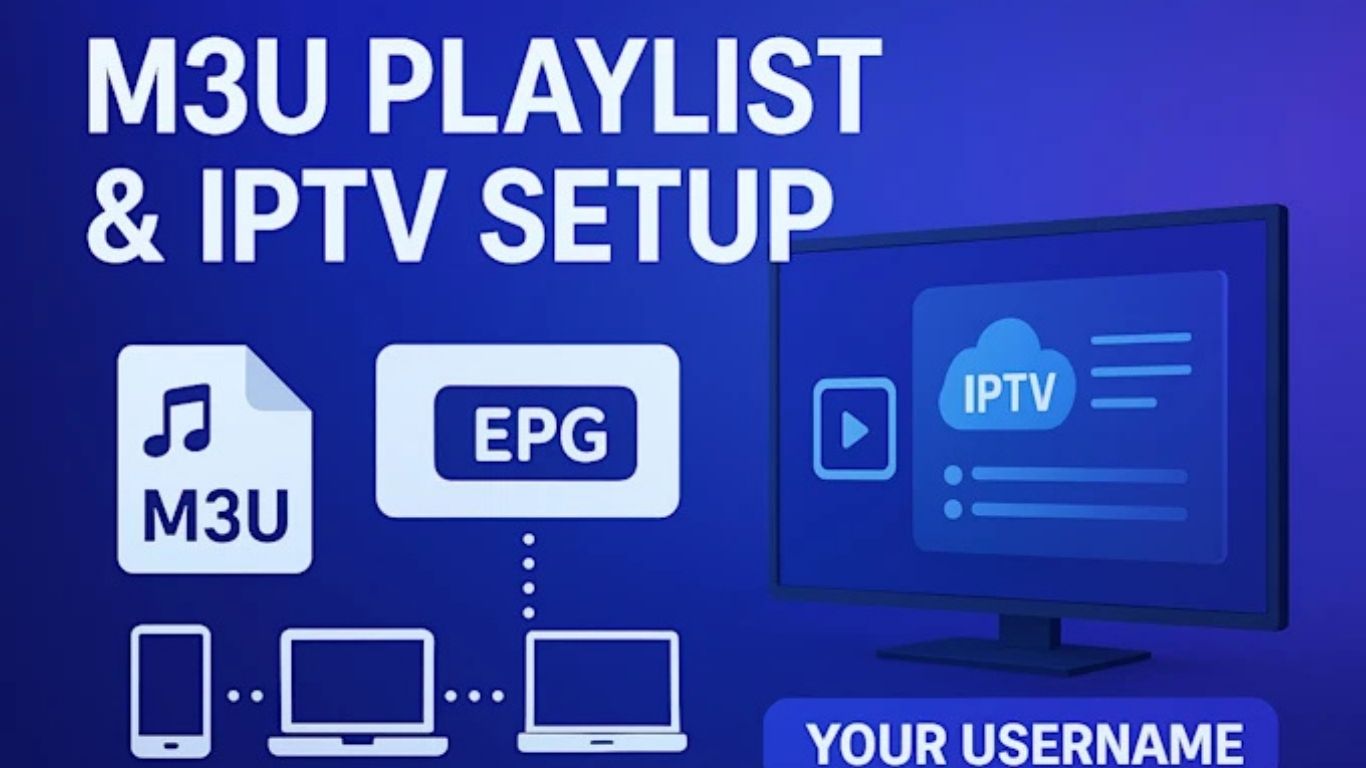
M3U playlists have become one of the most popular ways to stream IPTV content across different devices. Whether you use a Smart TV, Fire Stick, Android Box, Windows PC, MacBook, iPhone, or tablet, M3U files make it simple to access live TV channels, sports events, movies, TV series, documentaries, and video-on-demand content from one place. IPTV technology continues to grow rapidly in the United Kingdom because viewers want more flexibility, better entertainment options, and affordable streaming solutions compared to traditional cable TV services.

An M3U playlist acts like a digital channel list that stores streaming links. Instead of manually entering every TV channel one by one, users can simply import a single playlist into their IPTV player. The application then automatically loads all available categories and channels. This setup process is quick, easy, and beginner-friendly, making M3U playlists ideal for IPTV users of all experience levels.

Modern IPTV players support advanced M3U playlist features such as electronic program guides (EPG), catch-up TV, favorites management, parental controls, multi-screen viewing, and channel search functionality. With the right IPTV player and optimized M3U playlist, users can enjoy smooth streaming, reduced buffering, and fast channel switching across multiple devices.

What Is an M3U Playlist?

An M3U playlist is a text-based file format used to organize multimedia streaming links. The term M3U stands for “MP3 URL,” although today it supports many different types of media beyond music. IPTV providers use M3U playlists to deliver live TV channels and VOD libraries to users through compatible IPTV applications.

There are two common types of M3U playlists. The first is a downloadable M3U file stored on your device. The second is an M3U URL, which is a web link that automatically updates channel information whenever changes are made by the IPTV provider. Most premium IPTV services now prefer M3U URLs because they are easier to maintain and update.

M3U playlists contain streaming paths for live channels and media content. Once imported into an IPTV application, the player reads the playlist structure and displays categories such as sports, movies, entertainment, news, documentaries, kids’ channels, international TV, and on-demand content.

Why M3U Files Are Ideal for IPTV Streaming

M3U playlists are extremely popular in the IPTV industry because they are lightweight, flexible, and widely compatible. Almost every IPTV player available today supports the M3U format. Users can switch between devices without changing playlists, which makes IPTV streaming more convenient and accessible.

Another important advantage is simplicity. Even users with limited technical knowledge can easily set up an IPTV service using an M3U link. In most cases, the setup only requires copying and pasting a playlist URL into the IPTV application.

M3U playlists are also ideal for IPTV because they support automatic updates. If a channel changes its stream source or new channels are added, the IPTV provider can update the playlist remotely. Users only need to refresh the playlist inside their IPTV player to access the latest content.

Compared to older streaming methods, M3U playlists offer better organization and faster access to entertainment. Categories are displayed clearly, channels can be sorted, and users can create personalized favorite lists for quick access.

Main Advantages of Using M3U Playlists

One of the biggest benefits of M3U playlists is device compatibility. Users can stream IPTV content on Smart TVs, Android devices, iOS devices, Fire Stick, MAG boxes, Windows computers, macOS systems, and Linux platforms without major setup differences.

M3U playlists also provide flexibility. Users can easily switch IPTV players while keeping the same playlist. This is useful if someone wants additional features such as recording, better EPG support, or advanced playback controls.

Another major advantage is convenience. Instead of downloading separate applications for movies, sports, and TV channels, users can access everything from a single IPTV interface. This creates a cleaner and more organized streaming experience.

M3U playlists are also highly customizable. Advanced IPTV players allow users to hide categories, rename playlists, organize channels, add favorites, and create custom viewing groups. These features improve navigation and help users quickly find the content they want to watch.

For sports fans in the UK, M3U playlists are especially useful because they provide access to live football matches, Premier League games, boxing events, Formula 1, UFC, cricket, rugby, and international sports channels from one platform.

Best IPTV Players for M3U Playlists

Choosing the right IPTV player is important for achieving smooth and stable streaming performance. Some IPTV players are designed for simplicity, while others include advanced features for experienced users.

IPTV Smarters is one of the most widely used IPTV applications because it supports M3U playlists, Xtream Codes API, EPG integration, catch-up content, and multiple devices. The interface is user-friendly and suitable for beginners.

TiviMate is another popular IPTV player, especially among Android TV and Fire Stick users. It provides a premium television-style interface with advanced playlist management, scheduled recordings, channel grouping, and modern navigation tools.

VLC Media Player is a lightweight solution for users who want basic IPTV playback on Windows or Mac computers. Although it lacks some advanced IPTV features, it remains reliable and easy to use.

XCIPTV is another strong option that supports customizable layouts, built-in media players, and IPTV streaming optimization. GSE Smart IPTV is commonly used on iPhone and iPad devices because it supports M3U playlists and remote playlist management.

Smart TV users can install IPTV applications directly from app stores depending on their television brand. Samsung, LG, Sony, and Android TVs often support IPTV players that work with M3U playlists.

How to Install and Use an M3U Playlist

Installing and using an M3U playlist is usually straightforward. First, users must download an IPTV player compatible with their device. After installation, they can choose the option to add a playlist or IPTV subscription.

Users are then asked to enter a playlist name and paste the M3U URL provided by their IPTV service provider. After saving the information, the IPTV player begins loading channels and categories automatically.

If an EPG link is provided, users should also add it to the IPTV player. EPG support improves the viewing experience by displaying program schedules, show names, and broadcasting times.

Once the playlist finishes loading, users can browse channels, search for content, create favorite lists, and begin streaming immediately. Most IPTV players also support video quality selection, subtitle controls, and parental restrictions.

How to Optimize Your M3U Playlist for Better Streaming

Optimizing your IPTV setup can significantly improve streaming quality and reduce buffering issues. One of the most important factors is internet stability. IPTV streaming works best with a fast and consistent internet connection.

For HD streaming, users should ideally have at least 20 Mbps internet speed. For 4K streaming, faster speeds are recommended. Using a wired Ethernet connection instead of Wi-Fi often improves streaming stability, especially during live sports events.

Keeping your IPTV player updated is also essential. Older versions of IPTV applications may contain bugs or compatibility issues that affect performance. Developers regularly release updates to improve speed, security, and playback reliability.

Clearing cache files inside IPTV applications can also improve responsiveness and reduce freezing problems. Over time, temporary files may slow down playlist loading and navigation.

Another optimization method is reducing unnecessary categories inside the IPTV player. Large playlists containing thousands of channels may take longer to load. Hiding unused categories can improve overall speed and organization.

Users should also restart their devices regularly to refresh memory usage and maintain stable streaming performance. Background applications running simultaneously may consume system resources and reduce IPTV playback quality.

Common M3U Playlist Problems and Solutions

Sometimes users experience issues with M3U playlists not loading correctly. One common reason is an expired or incorrect playlist URL. Users should verify the playlist link carefully and ensure there are no missing characters or spaces.

Buffering is another common IPTV issue. In many cases, buffering is caused by unstable internet connections or overloaded Wi-Fi networks. Restarting the router, using Ethernet connections, and reducing network congestion can help improve streaming quality.

If channels are missing, users should refresh or reload the playlist inside the IPTV player. IPTV providers frequently update playlists, so refreshing helps synchronize the latest channel data.

Audio synchronization problems may occur occasionally during live streams. Restarting the channel or changing the media player settings inside the IPTV app often resolves these issues.

Application crashes can usually be fixed by updating the IPTV player or reinstalling the app completely. Users should also ensure their devices have enough available storage space for smooth operation.

Why IPTV Streaming Will Continue Using M3U Playlists

M3U playlists continue to dominate the IPTV industry because they are simple, reliable, and highly adaptable. As IPTV technology evolves, M3U support remains a standard feature across most streaming applications.

Streaming platforms continue to improve playlist organization, EPG integration, cloud synchronization, and playback quality. M3U playlists provide the flexibility needed for these improvements without requiring complicated infrastructure changes.

Another reason M3U playlists remain popular is accessibility. IPTV providers can deliver large amounts of content efficiently while users enjoy easy setup processes on almost any device.

As more viewers move away from traditional cable television and choose internet-based streaming services, M3U playlists are expected to remain one of the most important formats for IPTV streaming worldwide.

Conclusion

M3U playlists provide one of the easiest and most effective ways to enjoy IPTV streaming on multiple devices. They offer excellent compatibility, simple setup, automatic updates, and access to thousands of live TV channels and on-demand titles. Whether you use IPTV for sports, movies, entertainment, or international content, M3U playlists create a flexible and user-friendly streaming experience.

By choosing a high-quality IPTV player, maintaining a stable internet connection, and following optimization techniques, users can reduce buffering and enjoy smoother playback. As IPTV continues to grow in popularity across the UK and worldwide, M3U playlists will remain a key part of modern streaming technology.

Is Iptv Safe And Legal In The Uk For Firestick

Is Iptv Safe And Legal In The Uk For Firestick

Here’s a simple checklist to determine if a provider is operating legally:

  • The state that licensed content sources
  • Offer support and refund policies
  • UK channels like BBC, ITV, and Channel 4 are legally sourced
  • No outrageous claims like “15,000 channels for £10/month.”
  • VAT/invoicing provided

If the provider hides behind a Telegram chat or asks for cryptocurrency only, run!

Do I Need a VPN for IPTV?

  • Legal IPTV: A VPN isn’t necessary, but it can enhance privacy.
  • For illegal IPTV, a VPN is often used to hide streaming behaviour. This does not make it legal—it just makes detection more challenging.

Yes — boxes like Firestick, Android TV, and MAG devices are legal.

What matters is what you watch on them. The hardware is just a delivery system. Installing illegal IPTV apps can turn a legal device into a risky one.

Risks of Illegal IPTV

  • Service shutdowns without notice
  • Malware or spyware embedded in apps
  • Legal consequences: fines, IP tracking, seizure
  • No customer service or refund guarantees
  • Credit card/payment fraud risk

Frequently Asked Questions

Yes, if the content is licensed. Unlicensed streaming is illegal.

Can I get fined for watching IPTV?

If caught using unlicensed content knowingly, yes. Users have been prosecuted.

Rarely. Most free IPTV services stream pirated content, which is illegal.

Top 5 IPTV Providers in UK

Top 5 IPTV Providers in UK
Want to stream your favorite shows, movies, and sports without breaking the bank? That’s where Internet Protocol Television (IPTV) plays its role. IPTV is becoming the go-to solution for streaming live shows and other content for UK viewers, providing flexibility and peace of mind. There are so many IPTV providers who are operating in UK. Choosing the right IPTV provider who offers quality service, affordable pricing, and different features has become a great challenge. No need to worry as we have done all the research for you. In this article, we’ve mentioned the list of top 5 IPTV providers in UK that deliver top-notch entertainment. What is the Role of IPTV Providers? Instead of using traditional cable or satellite, IPTV providers use the internet to deliver TV content. Their primary function is to offer access to live TV channels, movies, shows, and sports that can be streamed on various devices like smartphones and tablets. They manage the streaming technology to guarantee smooth playback and high-quality visuals. In addition, IPTV providers also offer features like multi-device access, on-demand content, program-guides, and much more. You can enjoy your favorite show anytime or anywhere by being on a budget. List of Top 5 IPTV Providers in Uk To help you find reliable IPTV providers in UK, we’ve outlined the list of top 5 IPTV providers that offer excellent streaming and high-quality service. Iptv Media.UK At affordable pricing, IPTV Media.UK i-e Best Iptv uk offers buffer-free entertainment, all across UK. You can have access to unlimited TV channels, whether local or international depending on your interests. Users can enjoy their favorite movies and shows in HD and 4k quality. With IPTV Media.UK by your side, say goodbye to expensive cable subscriptions and switch to a hassle-free and smarter experience. Our service comes packed with various features like smooth streaming, antifreeze technology, affordable pricing and regular updates. Enjoy high-quality entertainment whenever you want to. Digital Planet IPTV With Digital Planet IPTV, you can experience seamless streaming like never before. Regardless of whether you select a free trial or premium plan, you will have immediate access with quick activation without delays. Moreover, Digital Planet IPTV guarantees round-the-clock assistance, ready to help you whenever needed. You may enjoy top-notch entertainment without going over budget. Choosing them today is a smarter choice, fulfilling all your streaming needs. SkymediaUK SkymediaUK is among the finest IPTV providers in the UK, with access to over 20,000 live channels and on-demand content, including 4K quality viewing. Their antifreeze servers are custom developed to reduce buffering. Instant activation, and 24/7 support assure users that they can enjoy a smooth transition from sign-up to seamless streaming. From gaming consoles to smart TVs, they offer affordable deals with flexible pricing plans starting from £12/per month. M IPTV UK M IPTV UK offers an extensive range of IPTV packages with over 25,000+ live channels, supported by inbuilt VPN, and cutting edge anti-freeze technology for buffer-free streaming. Their service stands out for its instant activation and 30-day money-back guarantee, giving users freedom to try it out without any risk. Whether you’re streaming movies, live sports, or international content, M IPTV UK offers peace of mind by providing quality service. King Stream.UK King Stream.UK has proved itself as a leading IPTV provider, renowned for its remarkable quality in live streaming, with diverse content ranging from live channels to on-demand entertainment. Users can enjoy top-quality content without buffering, whether they are sport enthusiasts or love to watch TV shows and movies. King Stream.UK offers fast and reliable IPTV experience. This IPTV provider also offers a 24-hour free trial for new users before buying the subscription, showcasing the ways in which they stand above other IPTV providers in UK.
Agent Available WhatsApp Messenger Logo